When you click on links to various merchants on this site and make a purchase, this can result in this site earning a commission. Affiliate programs and affiliations include, but are not limited to, the eBay Partner Network.
Mr. 12 volt Carplay for PCM 3.0 (P2000 PCM30MD) install – short review, one problem.
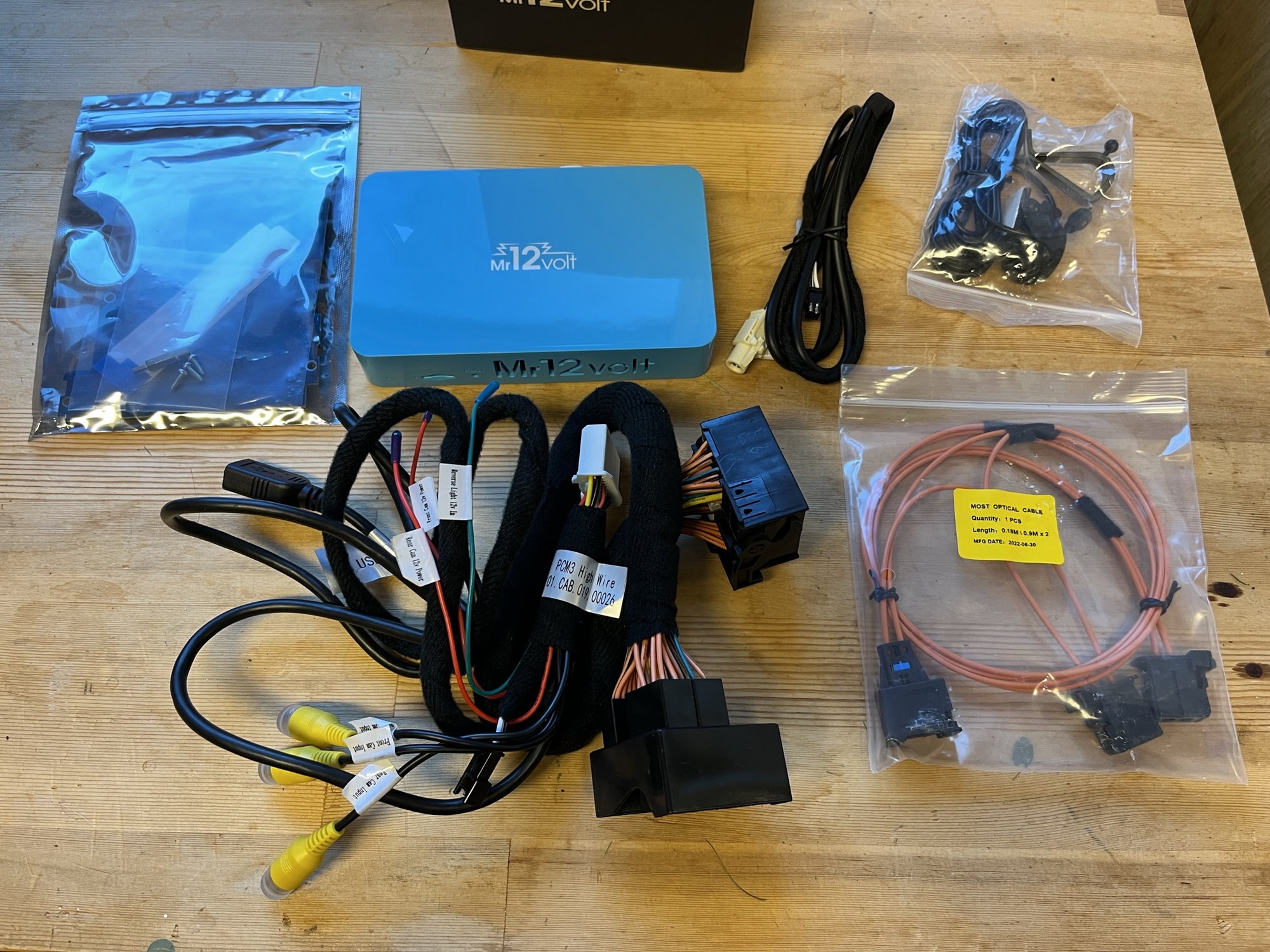
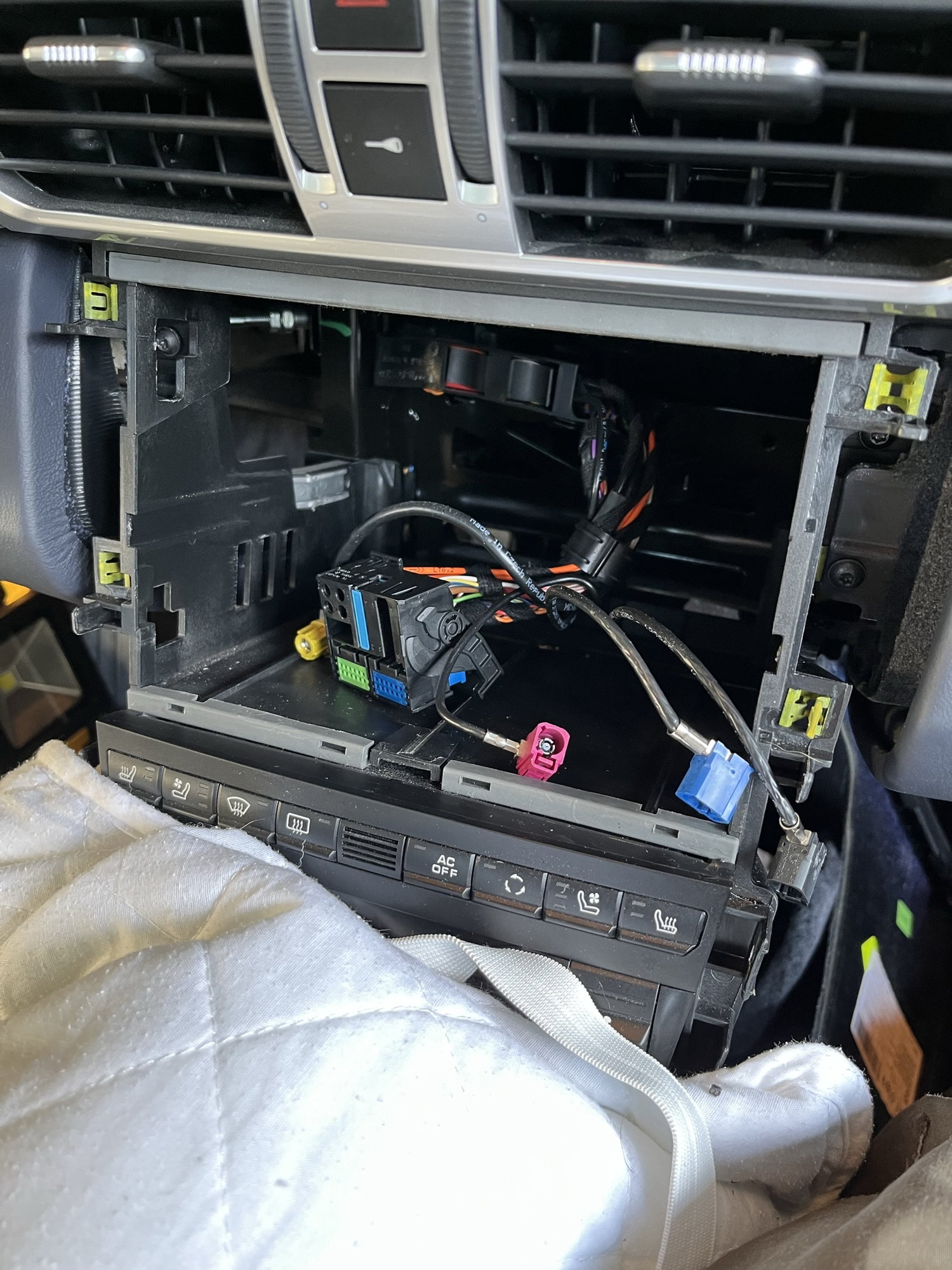
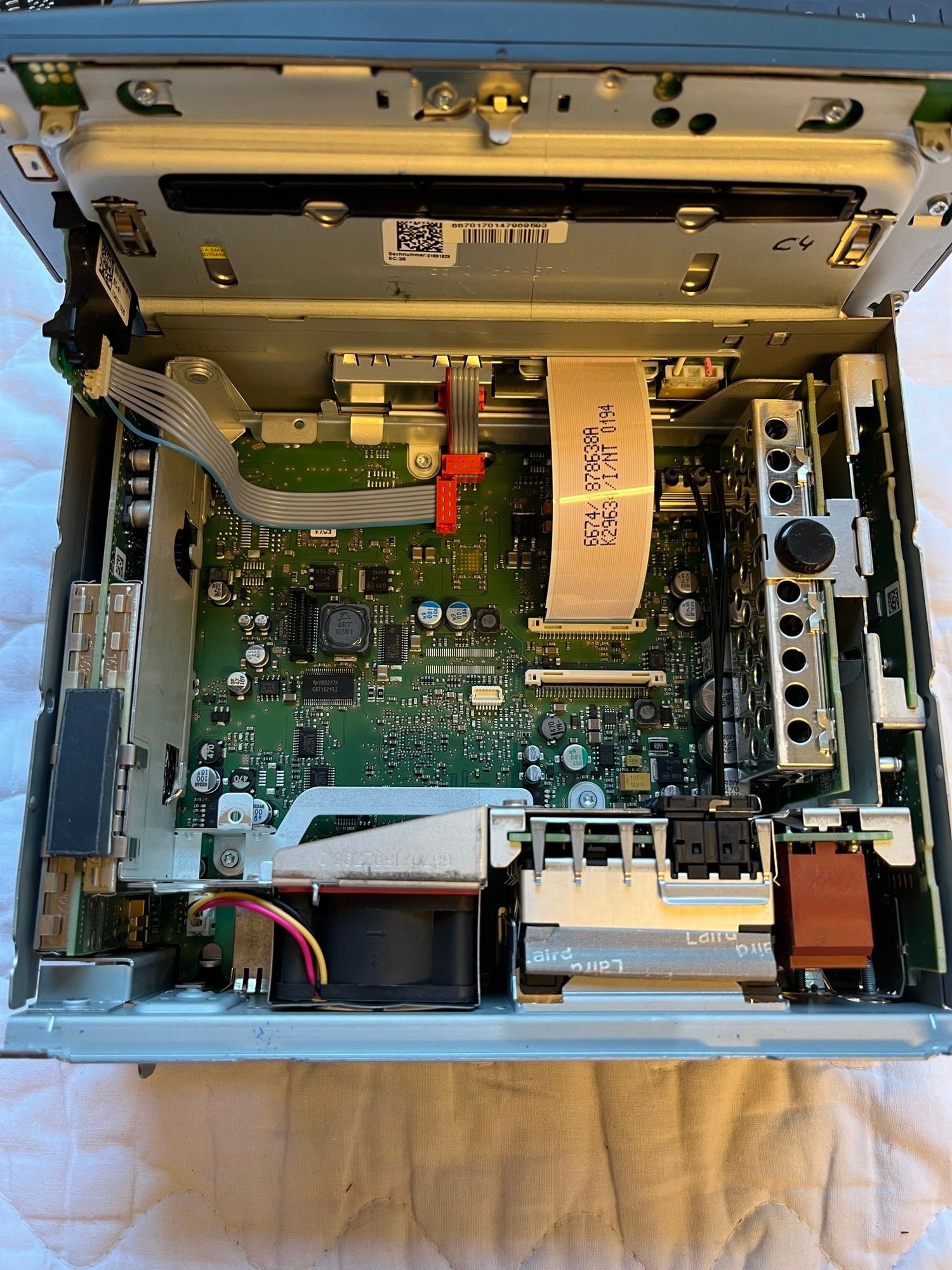
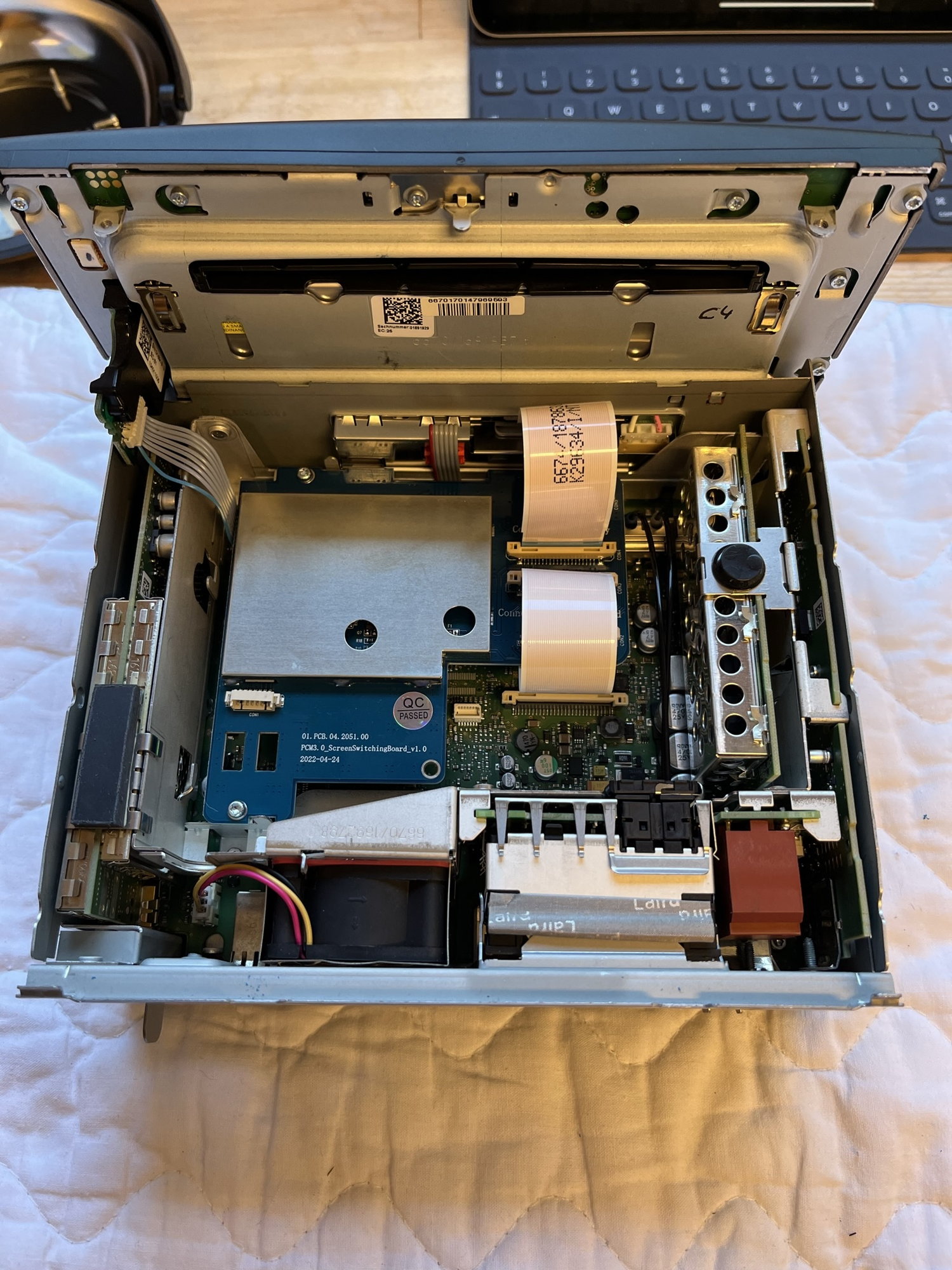
Installed this, it’s pretty straightforward. Took roughly 3 hours slow paced. There is a video guide that help you through the steps. Basically you have to go through these steps:
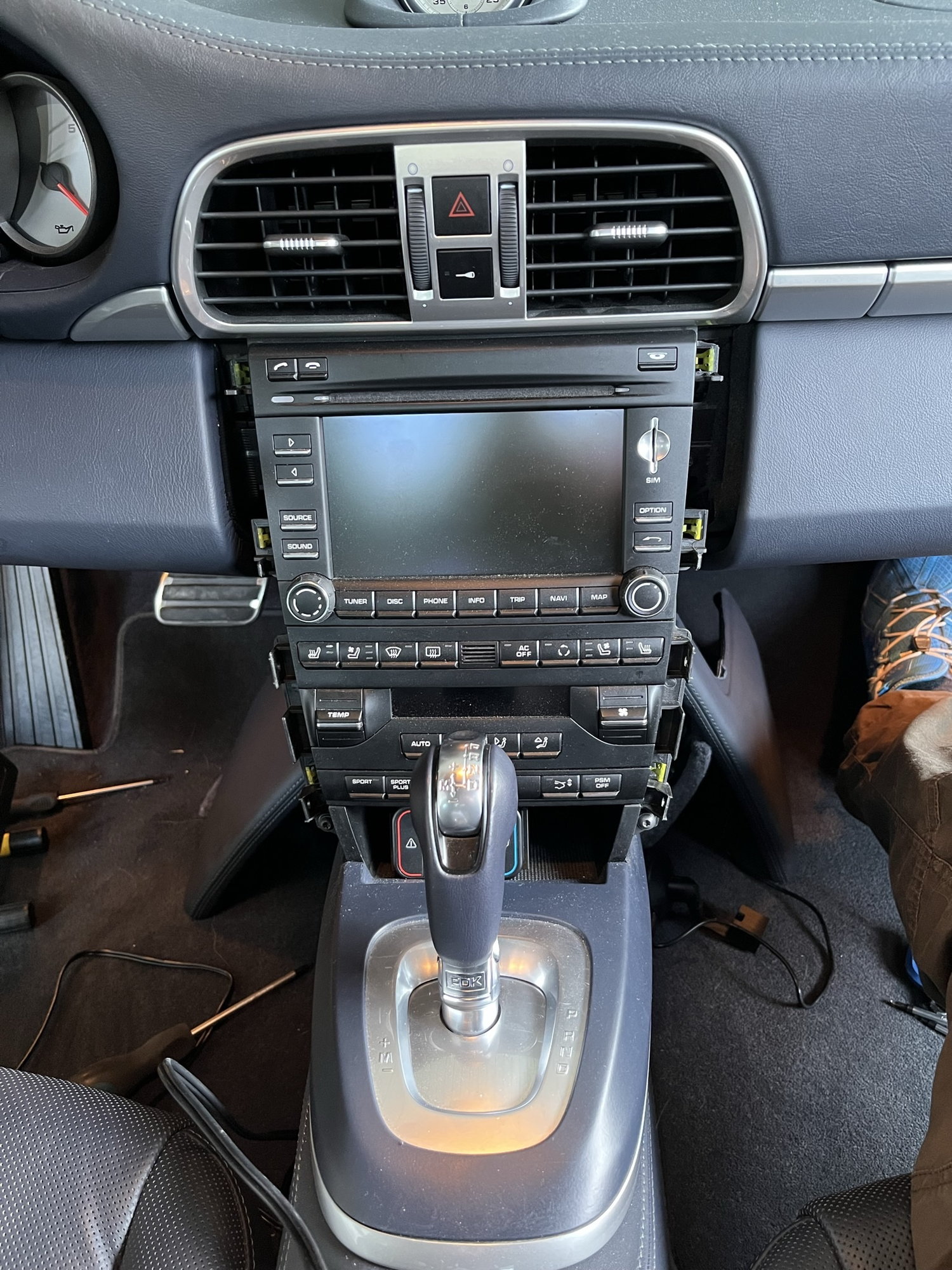
- Remove stereo side trims
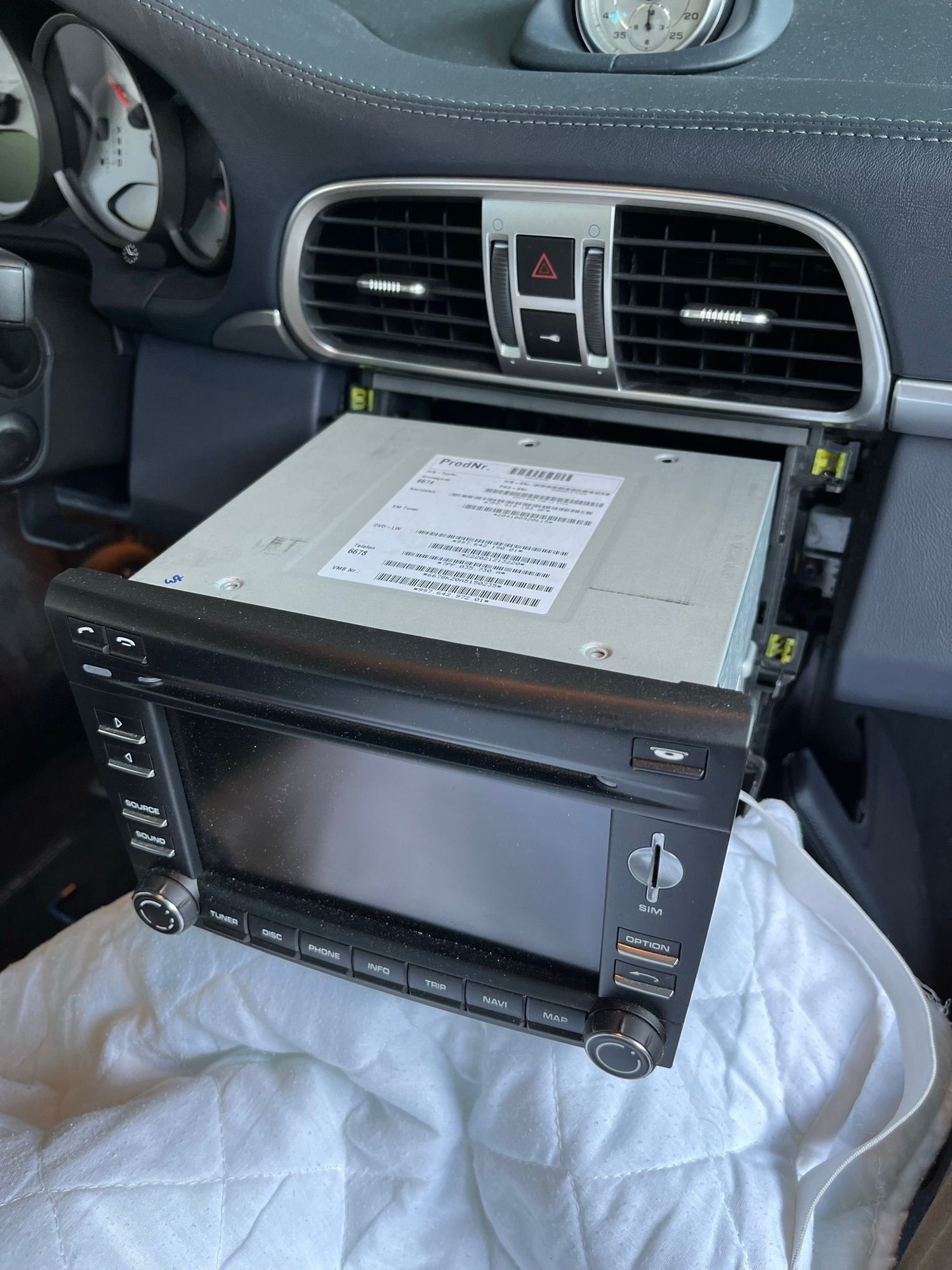
- Loosen stereo fasteners and pull stereo out
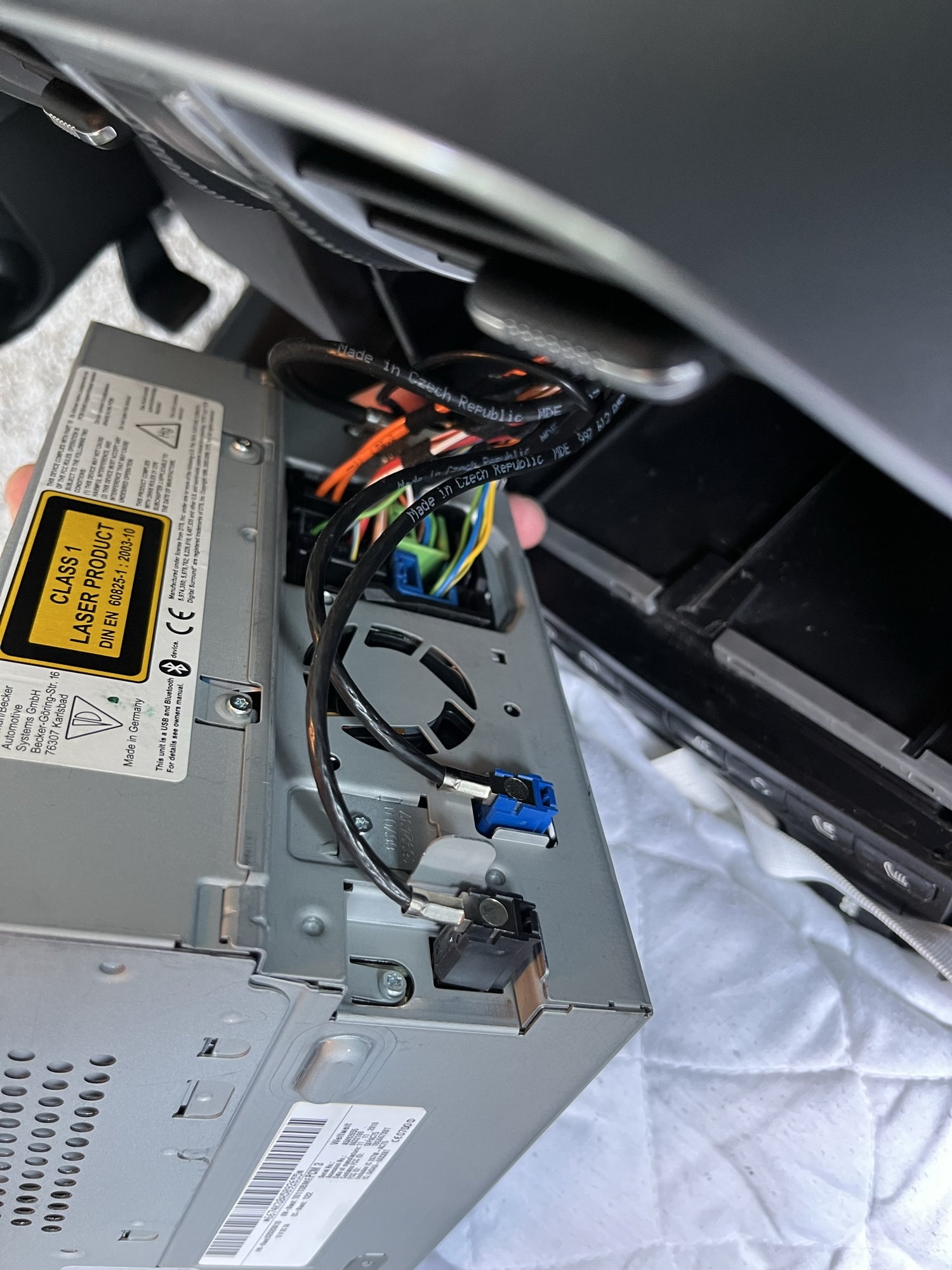
- Open stereo and install PCB/TV-card
- Connect new wires to existing stereo harness
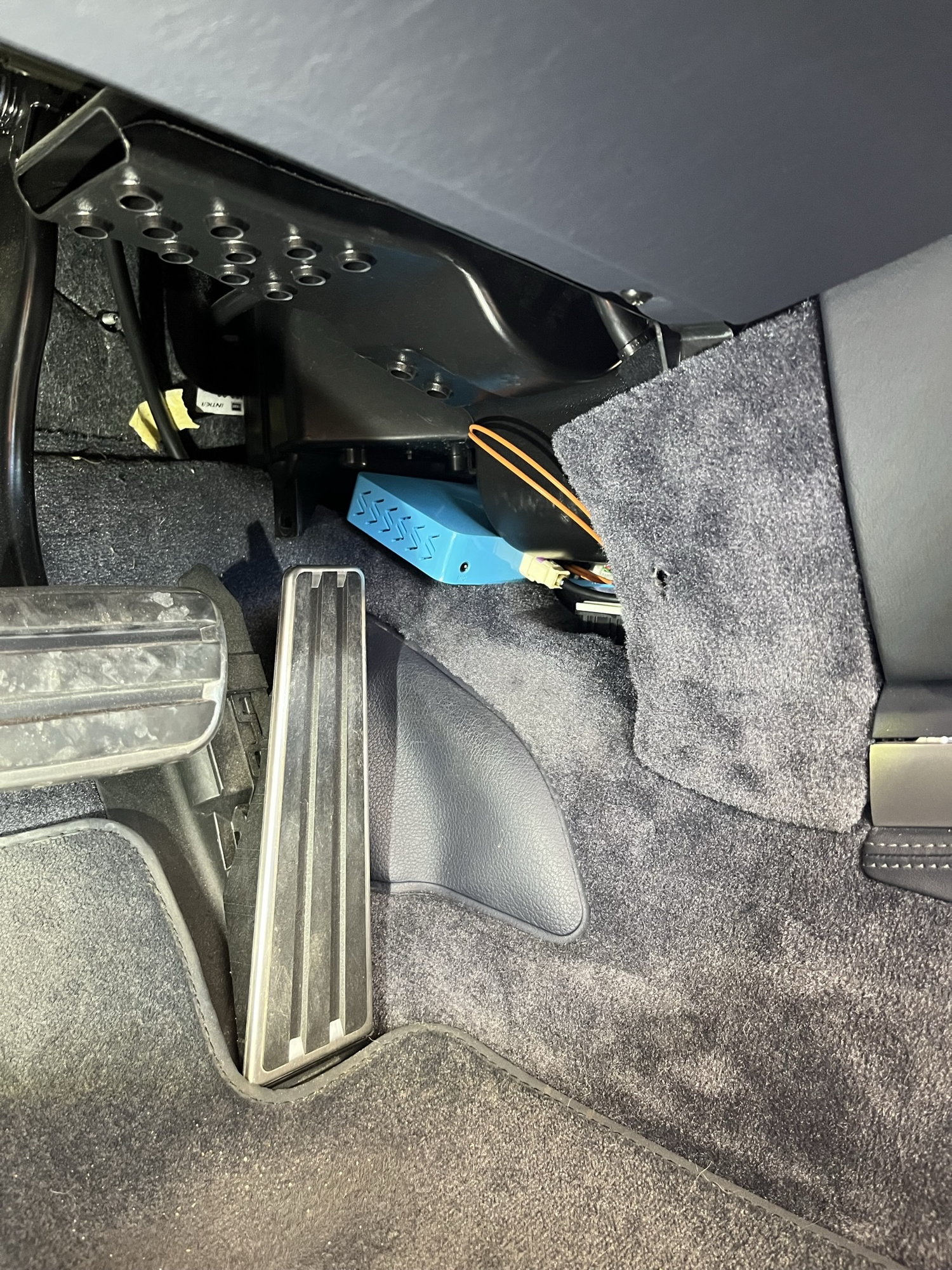
- Route the Mr. 12 volt wires to the preferred location and connect the Mr. 12 volt box
- install stereo
- install side trims
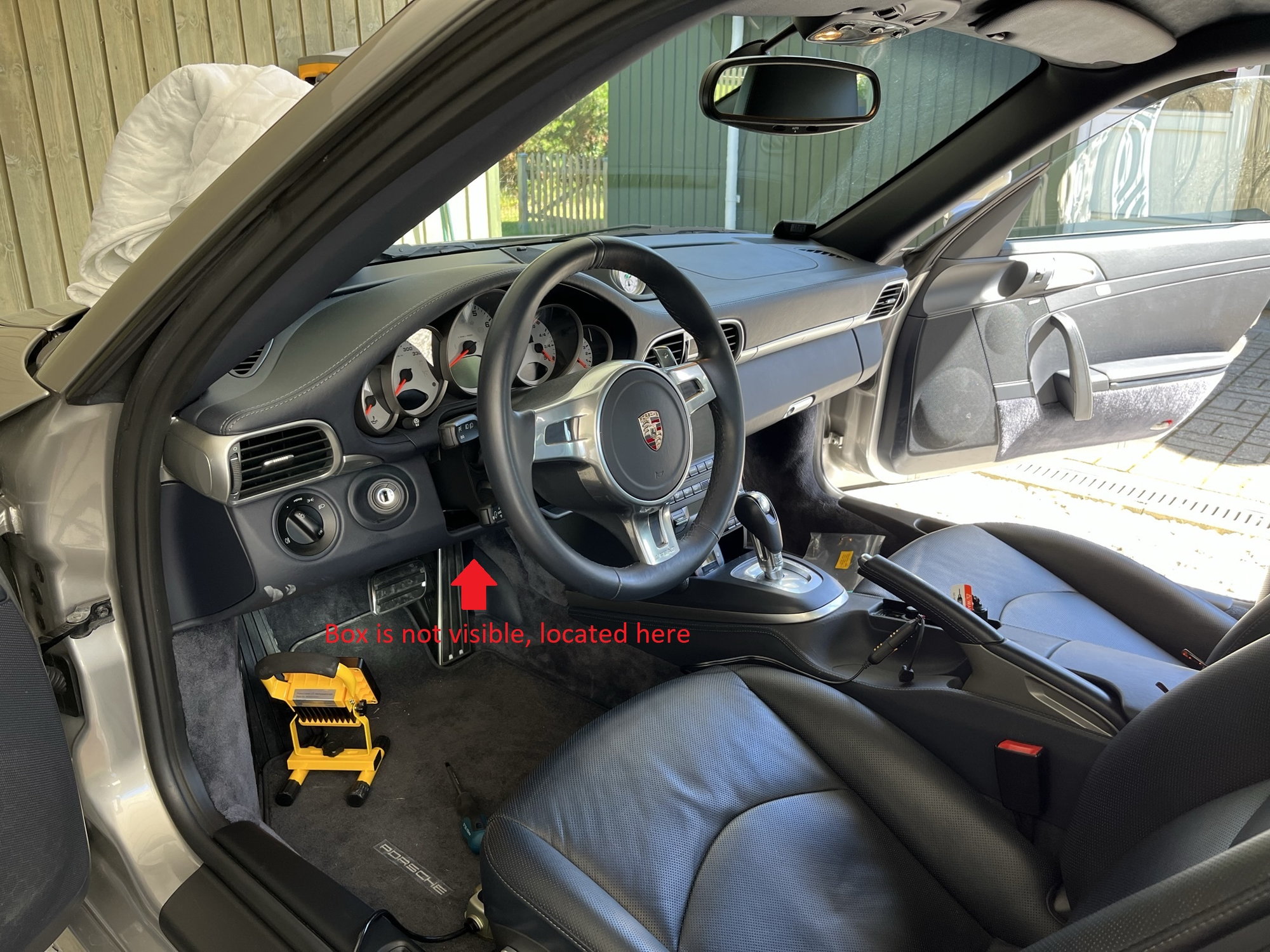
I put the mr. 12 volt box between the driver and passenger footwell. It is not visible in the cabin unless you crouch. It is very accessible in this location, if I have to do a firmware update or troubleshoot. Se pics.
Works great – but one problem so far.
Everything works, sound is great - I have the Bose system, and I just leave the Mr. 12 volt EQ on flat and use the Bose settings to tune sound, have not tried tuning the sound with the mr. 12 volt – could be better or worse, I don’t know. So really no problems and very happy with sound and now having Carplay in the car and can use Carplay apps.
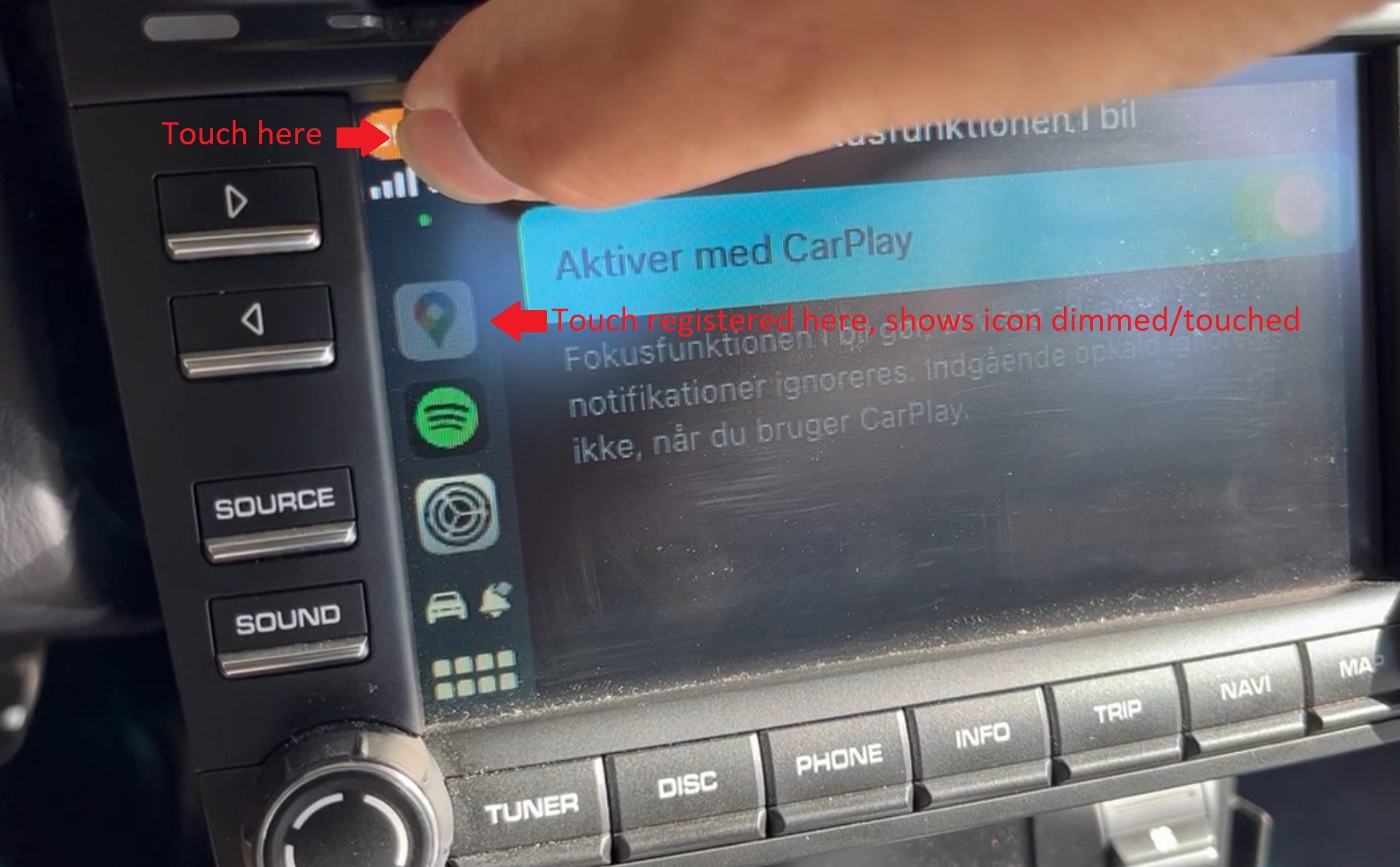
One thing though. It seems that the touch calibration is off. Right/left touch is spot on, but up/down is off – eg. I touch one place on the screen and the user interface picks up the touch lower. This means, that I can’t navigate the Carplay interface via touch. I can’t use the topmost buttons which usually is back, playlist etc. and it gets pretty annoying pressing specific playlist or option in the middle of the screen and something else is pressed in the user interface.
This happens in both carplay and the Mr. 12 volt user interface, basically anything when using the Mr. 12 volt – everything else in the PCM 3.0 the touch screen works perfectly. You can see two videos of the problem here. I have attached a pic as well, that shows that the touch happens happens a few cm lower. https://1drv.ms/u/s!AmfhRvQRPMkdqrUw...rMbFA?e=3CAPcJ
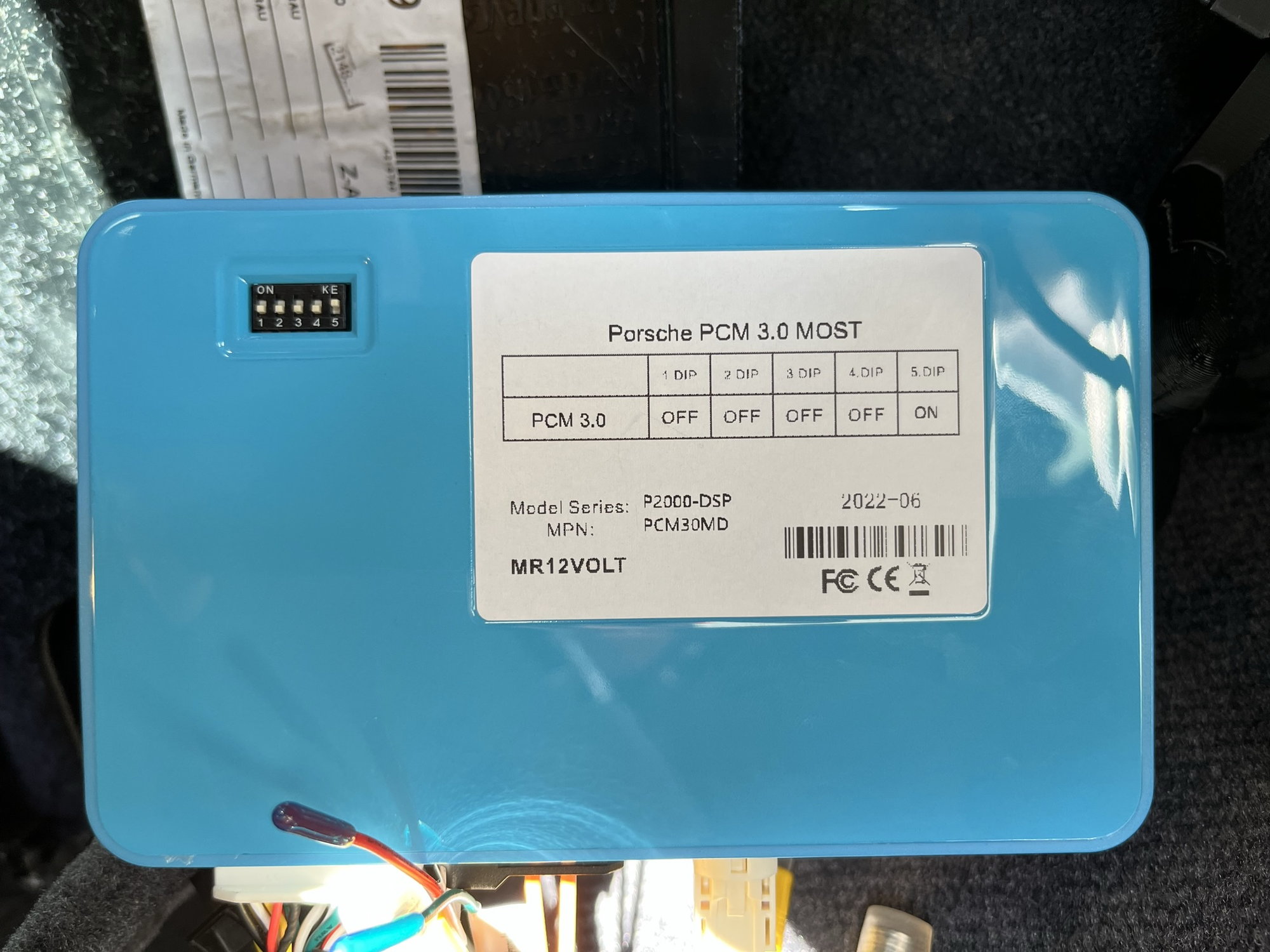
The dipswitches on the mr. 12 volt are set as it came and corresponds with the sticker on the mr. 12 volt box for the Porsche PCM 3.0.
Car is a 2011 Porsche 911 997.2 with PCM 3.0 stereo.
For now I just use the scroll wheel on the right of the stereo to navigate Carplay – works fine, but I would like the touch to be calibrated.
I would contact Mr. 12Volt directly ----> Or google the issue. If the problem is common I'm sure there will be many similar posts to explore to correct/solve issue.
I have contacted Mr. 12 volt, no response yet. Can’t find anyone else (googling), who have installed this on the 997.2, as the device is just released – maybe someone, with the same problem will see this – if so, please respond 😊 Thanks.
All sorted out, it's fixed now. Mr. 12 volt responded, and calibration is easy.
Here's how to calibrate the touch display. In the Mr. 12 volt main screen - touch the screen anywhere where there is no icons and hold for approx. 10 seconds and the touch calibration screen comes up. You just touch 5 crosshairs on the screen, and the calibration is done. This has to be done one time only and calibration is automaticly stored.
The Carplay works great - and now touch also, even in the corners, no problems at all. Very happy with this device.
Absolutely great. I love Carplay in any car with its updated apps etc. - and having this in the 997.2 is, for me, a very welcome modern upgrade.
Can't say anything negative about the Mr. 12 Volt box, it really is fully functional Carplay as with any other car – to me, no difference what so ever using Carplay.
Sound is great (no pops, no cracks, no low volume or any other trouble), telephone calls are great (just using the Porsche fitted microphone) and the box doesn’t interfere with normal PCM function - everything else, buttons, menus etc. work as before. Selecting Carplay is done by pressing source and choosing TV, that’s it. Everything else in the PCM is normal.
I don’t use SIRI, but be aware, that SIRI can’t use the built in microphone (the Carplay telephone works fine with the built in microphone), and if you use SIRI and don’t want to have the supplied microphone fitted, there is a fix for that, tapping into the original wire harness microphone cables, see this thread: https://rennlist.com/forums/porsche-...l#post18228622
Now looking into installing a backup camera, it seems easy, as the Mr. 12 Volt box is prepared for this. I just have to connect the backup camera RCA cable to the Mr. 12 Volt box and configure the settings.
thanks Thomas. any plans to implement the left and right blind spot cameras?
also wondering when/if they will support Siri through an OEM microphone. splitting the wiring will not work per the owners manual for the box.
Not sure about the 997.2 but on some Porsches there are two mounting points on the upper steering column cover. so necessary a 2nd oem wired microphone can be added
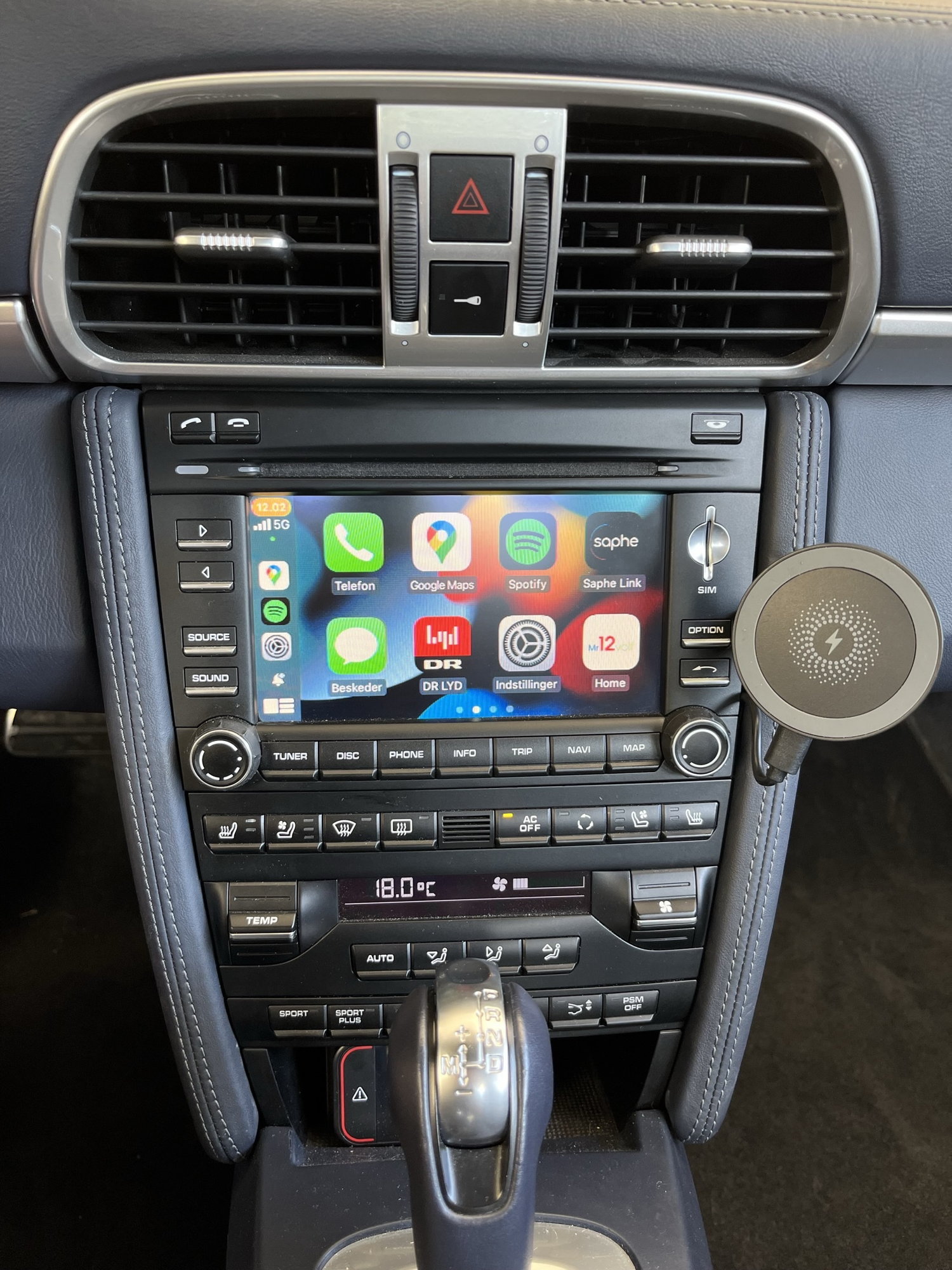
Hi Thomas, good to see your photos showing how this thing get installed and what issue to be expected! One quick question where do u get that magnetic phone holder with wireless charging capability ? Does it hold the phone securely? Is it the best time to install that while I am taking the entire PCM unit out ? Thank you in advance for your response.
Absolutely great. I love Carplay in any car with its updated apps etc. - and having this in the 997.2 is, for me, a very welcome modern upgrade.
Can't say anything negative about the Mr. 12 Volt box, it really is fully functional Carplay as with any other car – to me, no difference what so ever using Carplay.
Sound is great (no pops, no cracks, no low volume or any other trouble), telephone calls are great (just using the Porsche fitted microphone) and the box doesn’t interfere with normal PCM function - everything else, buttons, menus etc. work as before. Selecting Carplay is done by pressing source and choosing TV, that’s it. Everything else in the PCM is normal.
I don’t use SIRI, but be aware, that SIRI can’t use the built in microphone (the Carplay telephone works fine with the built in microphone), and if you use SIRI and don’t want to have the supplied microphone fitted, there is a fix for that, tapping into the original wire harness microphone cables, see this thread: https://rennlist.com/forums/porsche-...l#post18228622
Now looking into installing a backup camera, it seems easy, as the Mr. 12 Volt box is prepared for this. I just have to connect the backup camera RCA cable to the Mr. 12 Volt box and configure the settings.
Hi Thomas, is fader control available while using Mr. 12 Volt, or should it be set while in normal PCM mode?
Hi Thomas, good to see your photos showing how this thing get installed and what issue to be expected! One quick question where do u get that magnetic phone holder with wireless charging capability ? Does it hold the phone securely? Is it the best time to install that while I am taking the entire PCM unit out ? Thank you in advance for your response.
Just a cheap China knockoff off an Apple Magsafe charger. I 3D printed my own design for the arm/bracket, and just attached the charger to the 3D print. Holds the phone perfectly and very secure. So much I have to pull the phone off at an angle otherwise I cant get it off the charger.
It is easy to install. You don’t have to take the PCM out, just the leather piece on the right side, it’s just two screws at the bottom, and you can pull it towards you. I did that a few times to get the 3D print angled just right. So just install the Mr. 12 volt /PCM and tinker with the phone mount later.
Hi Thomas, is fader control available while using Mr. 12 Volt, or should it be set while in normal PCM mode?
Mr. 12. volt has 15 band equalizer but no balance and fade control – you can use the PCM controls for fade and balance. You can use bass and treble controls for the PCM as well, but the 15 band equalizer gives you more control.
The only downside I've noted to the Mr12Volt is that the USB output at the back doesn't support higher charging rates. I think from the specs it's only 500mA. So if you're planning to install a charger don't use that, either hardwire a higher output USB or use a lighter socket adapter.
I don't even use the Mr12Volt equalizer: too many options for me, lol. I've just been using the built in bass/treble settings, as Thomas noted those and the fade/balance still work with the retrofit system.
Mr. 12. volt has 15 band equalizer but no balance and fade control – you can use the PCM controls for fade and balance. You can use bass and treble controls for the PCM as well, but the 15 band equalizer gives you more control.
The only downside I've noted to the Mr12Volt is that the USB output at the back doesn't support higher charging rates. I think from the specs it's only 500mA. So if you're planning to install a charger don't use that, either hardwire a higher output USB or use a lighter socket adapter.
I don't even use the Mr12Volt equalizer: too many options for me, lol. I've just been using the built in bass/treble settings, as Thomas noted those and the fade/balance still work with the retrofit system.
The main function of the usb is to play movies or music from a usb stick. It was not really designed with charging in mine.
__________________
Modernize your P-Car w/ Mr12Volt. Apple Carplay and Android Auto with superior audio quality, features, and support. Reach out for specials! Torque.Acs@gmail.com or Roman (267) 317-8229




 Mr. 12 volt Carplay for PCM 3.0 (P2000 PCM30MD) install – short review, one problem.