When you click on links to various merchants on this site and make a purchase, this can result in this site earning a commission. Affiliate programs and affiliations include, but are not limited to, the eBay Partner Network.
Welp whining sound is still there after doing the changing the ground from the passenger footwell negative port to the screw...
Buzzing or Humming Noise
BTR-3
Issues:
1. There is a small issue where when I'm on a phone call there's a buzzing sound coming from the speakers. Same thing happens if I try to use iPhone voice control (Siri). Have you heard of anything like this before?
Resolution:
1. First confirm there is constant power to the BTR-3 Module (check with 12V DC tester) at the small connector that connects to the BTR-3.
2. Make sure the BTR-3 Module LEDs light up (Red power, Blue BT connected)
3. Make sure you can pair your phone with the BTR-3 Module (pair to CARKIT).
From factory:
1. Reset the BTR-3 MODULE.
a. Press the "Reset" button on the BTR-3 MODULE for a second then switch off the ignition. Wait for a couple of minutes and try again.
2. Test with another phone
a. Make sure it is not an issue with a particular phone.
3. Check the microphone and the jack on the BTR-3 MODULE
a. Take the microphone to another device, see if it causes buzzing;
b. Use another microphone on the BTR-3 MODULE, see if it causes buzzing;
c. This is to identify if the mic is causing the problem.
From a customer:
Through manipulation of the phone volume and car volume, I was able to eliminate the problem and I’ve been unable to reproduce it since.Also, take a look at these videos:
Edit: I see you mentioned the microphone, I did change mic's to the one that goes into the factory location, the buzzing did start around that time if memory serves me correct. I'll try removing the mic and see if that stops it too.
Having trouble displaying the song title and artist name. The song title is briefly displayed, before it reverts to Track 1. BTSTREAM is also displayed briefly before it reverts to CD1. Has anyone faced a similar issue?
I installed my Rennkit BTR-3PM / Mr12Volt and I've got it working. Music streams nicely and I've made a test call. However, I'm having the same issue that several others have had with an error message about the phone not being available every time I turn on the PCM.
I've read through this thread and there have been a few things thrown out as solutions, but no one has confirmed what they had to do in the end to get rid of it. What was the solution? And if it was that the phone had to be coded out via Durametric or Foxwell or other diagnostic software, can that be done with the fiber optic loop on the phone module or do the factory connections have to be reestablished.
BTW, all the dip switches on the Bluetooth module are in the off position. There is something in the directions about turning on dip 4 to bypass the hands-free unit. But it sounds like that disables the phone buttons on the PCM also. It wasn't clear.
Anyway, I'd really like to know what the solution to the error message is. Thanks.
Anyway, I'd really like to know what the solution to the error message is. Thanks.
Want to add that the steering wheel controls don't work either. I thought the volume and answer/hang up buttons are supposed to work with it.
And it would appear that my phone calls are only playing on the right audio channel. That I can live with as I rarely take calls while driving, but the "phone not available" error message stops the whole system from working once it pops up. Which it does just a short bit after the system turns on. It'll even pop up after my phone connects and I'm actually already streaming music. When it pops up, it stops the system from working until I clear it.
OK. So I went back to the beginning of this thread and re-read everything. Man, this thread is long. But I think I found the answer! I clearly missed it. Post #136 says he had to program out the phone module and then the error message cleared.
I have a Foxwell scanner. Does anyone know which menu item turns off the phone module in the PCM?
I was able to find the coding section for turning on/off the phone module in the Foxwell diagnostic scanner. If you're curious, it's in the Gateway section. I changed the setting to "not installed," but I still get the message. And the steering wheel controls still don't work (they did prior to installation). Does anyone know if you have to start the car for it to take effect? The car is winterized in the garage right now so that would have to wait. Can anyone help to shed some light on things?
I have finally gotten to the bottom of things with regard to the telephone error message. Hopefully, this will help someone in the same situation in the future.
There are two coding changes that have to be made. One is in the Gateway and the other is in the PCM control units. In the Gateway, follow the path Gateway => General codes => Required installed => Telephone and set the value to "not installed." The PCM path is PCM => General codes => MOST nominal configuration => Control unit 1,2,3, etc. Find the control unit that says Telephone and change the value to "not used."
The steering wheel controls do work now. I attribute the problem to running the battery down below acceptable voltage. When that happens, the car starts turning off control modules for safety. I did a vehicle handover procedure with PIWIS after charging the battery and everything worked.
I know this is an old point but I'm wondering if you ever got your mr12volt adaptor working. I have a 2006 Boxster S with the CD-24 Bose radio and no CD changer. I have the unit installed but the car doesn't recognize it and I'm hoping that having the CD changer setting turned on in the cars software will fix it. Since we have the same setup I was hoping you got your working...
Thanks, Speakerdesign
Hi everyone,
Reviving an older one, it is my exact setup (I also have the CD changer preparation option, if that matters). S model with Bose, CDR24, no CDC and no phone. The unit (Rennkit BTR-3) is installed but not being detected by the head unit: pressing twice on CD shows "NO CD".
The BT unit is hooked to an external battery for testing, it was first hooked up to a switched power source and I wanted to rule that out, so it now has constant power. My phone is able to connect to it via Bluetooth and the blue LED lights up when I do so. I tried both possible FO loop orders by switching the FO cables from the long part to the short one, same behavior with both. The dip switches are currently set like this: down-down-up-up, I had also tried down-down-up-down. I believe the 4th one is for phone module.
I had gone to the dealership for them to program the CDC option, but that was before I had the constant power hooked up. Would I need to go activate it while the unit functions, or setting it up prior should be OK?
I bought the unit last year and have been trying many times to get it to work, but unless someone has a solution here, my conclusion would be that CDR24 with Bose but no CDC, even with CDC prep option, is incompatible.
Has anyone been able to use this with a similar setup?
Last edited by Oli_Box; Mar 17, 2025 at 02:48 PM.
Reason: formatting+added info
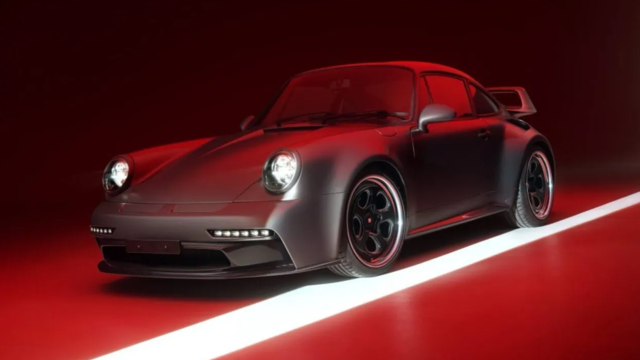
Theon Goes Full Carbon Fiber With Stunning New Build
Slideshow: Built around a carbon-bodied 964 and a naturally aspirated 4.0-liter flat-six, this bespoke commission highlights how far the restomod formula has evolved.
Tuner Is Converting Porsche 911s Into Shooting Brakes
Slideshow: A Polish Porsche specialist is moving ahead with one of the most unusual 911 conversions in recent memory: a shooting brake version of the 991-generation sports car.
This Coachbuilt Creation Is A Modern Take on the Legendary Porsche 917
Slideshow: A Porsche Carrera GT has been transformed into a one-off coachbuilt machine that blends analog supercar engineering with styling inspired by the legendary 917 race cars.
Is This Convertible Cayenne A Steal, Or A Returnless Investment?
Slideshow: A heavily modified Porsche Cayenne convertible with faux wood trim and a long list of flaws recently sold at auction for surprisingly little money.
Porsche's Top 5 Most Questionable Naming Decisions
Slideshow: For a company obsessed with engineering precision, Porsche has occasionally named its cars in ways that left even loyal enthusiasts scratching their heads.
Pogea Racing's 964 Porsche 911 Reimagination Stands Out in a Crowded Field
Slideshow: Pogea Racing's latest Porsche 964 project blends carbon-fiber construction, modern chassis upgrades, and up to 500 horsepower while keeping the air-cooled 911 experience firmly analog.