When you click on links to various merchants on this site and make a purchase, this can result in this site earning a commission. Affiliate programs and affiliations include, but are not limited to, the eBay Partner Network.
I seem to be unable to dismount the old infotainment. The 4 plastic screws that hold the metal brackets in place, do they need to push the brackets down (inwards) or full out (released)?
Tried both but the unit does not want to move.
Small screw is also out, so not sure whats holding it back.
Also bought the wrong colour. Seems normal Carrera S interieur is not iron grey but silver…
wanted to repaint it silver like the aluminium style parts anyway, but would have been nice to have at least some colour match before I do this.
Pretty terrible progress for what seemed like a simple job.
I had problems removing mine as well in fact I broke 3 out of 4 of those plastic allen head "screws". When you turn them they are trying to push the clips inward toward the center of the unit. I ended up using small screwdrivers to push the clips inward, and had to sort of work one side then the other, and like most things of this nature while you work on the other side the previous side likes to slide back and clip back in. I think I probably wedged some tiny screwdrivers into the clips to hold them. Its easier with two people as well, one can be working the clips and one yanking the radio back and forth. Don't forget ther little tension screw on the passenger side of the radio too, that has to be loosened all the way until it almost falls out.
If you haven't broken the plastic buttons, then I would keep working with those. Not too many mention it, but I as you can see I also struggled mightily getting the unit out. Strangely enough the first time I took it out I didn't have much problem but the 2nd time I got overzealous turning those screws and broke them. Even with the manual and the videos I could never really figure out which way to turn them and it was hard to tell when/if they clicked open. Good luck, I feel your pain.
I'll get my base 987.2 non-Bose but Sound Plus (code 490 sound system APK) in 2-3 weeks, and I would know how to define the specs of the already installed head unit.
As from the seller it is a Owtosin but nothing else.
Could we get everything from inside the menu ?
Like RAM, Android version, Memory, type (7870 ?), resolution, etc ...
Regards
Philippe
Last edited by Macfun; Jun 12, 2025 at 08:30 AM.
Reason: add photo
I'll get my base 987.2 non-Bose but Sound Plus (code 490 sound system APK) in 2-3 weeks, and I would know how to define the specs of the already installed head unit.
As from the seller it is a Owtosin but nothing else.
Could we get everything from inside the menu ?
Like RAM, Android version, Memory, type (7870 ?), resolution, etc ...
Regards
Philippe
Based on the UI, it's likely a Qualcomm-based unit, and those generally come with 6/8GB RAM and 128GB+ storage, as well as a 1280x720 screen. So it's a perfectly good unit. To get the actual android version, you need to use an app that will report the API version, because lots of vendors spoof the Android version shown to make it seem like they offer the latest (or a newer) version. Not that it really matters for how well the device functions as a head unit.
Based on the UI, it's likely a Qualcomm-based unit, and those generally come with 6/8GB RAM and 128GB+ storage, as well as a 1280x720 screen. So it's a perfectly good unit. To get the actual android version, you need to use an app that will report the API version, because lots of vendors spoof the Android version shown to make it seem like they offer the latest (or a newer) version. Not that it really matters for how well the device functions as a head unit.
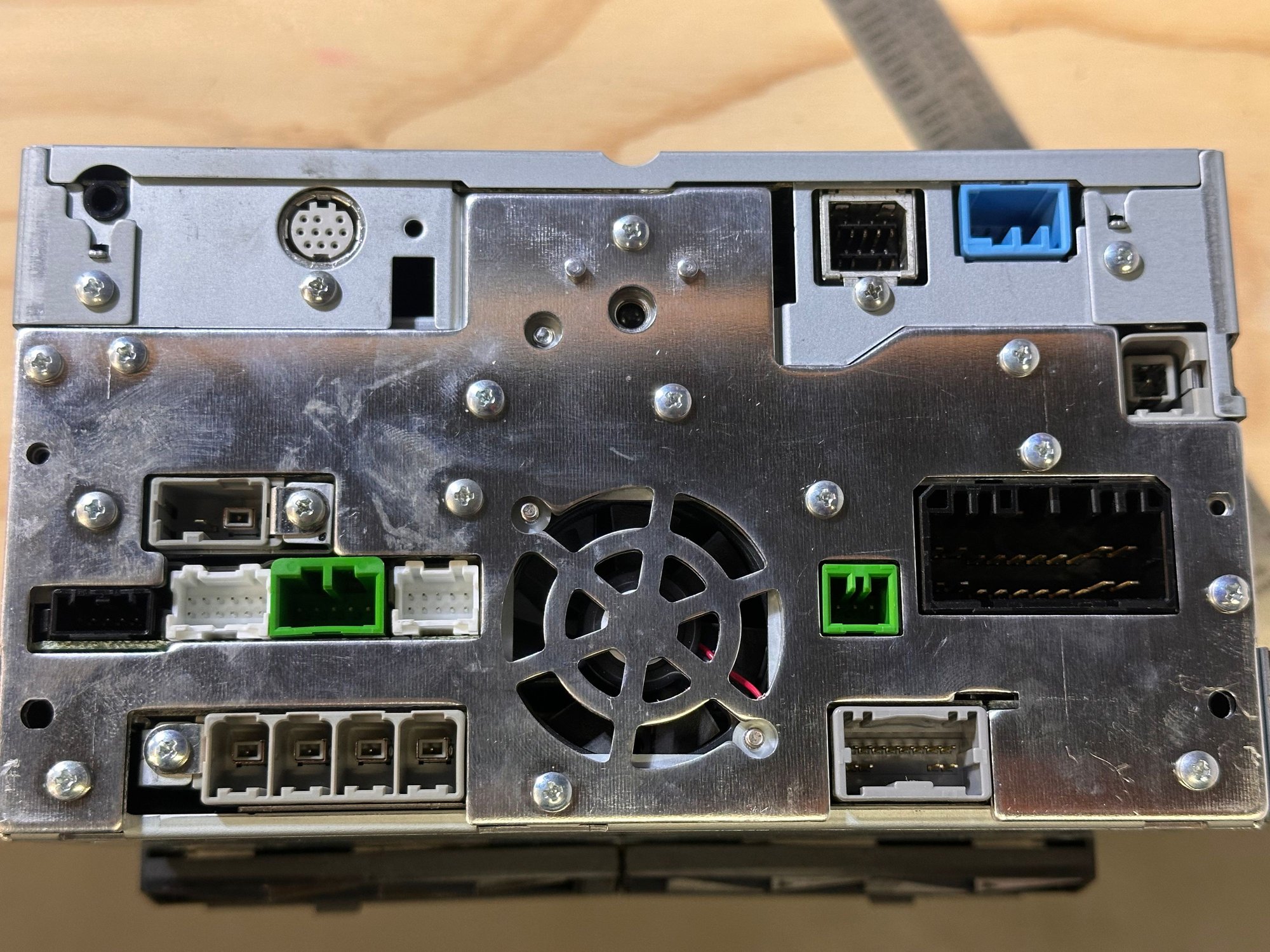
So i am following the pdf guide that was posted earlier. The guide recommends a dual Fakra Antenna adapter, however there is no connection for it?
As can be seen from the picture, there are only two fakra connectors. One is probably radio and the other gps? Have not checked the wiring diagram for that yet. So where should the two radio fakra connectors come from?
edit:
checked zhe 997.1 wiring chart:
phone would have been a green plug.
yellow seems to be CAN display
black is can wake up only
Radio antenna is a plug not displayed with connections ADL and HF, coming from Antenna diversity. I suppose this means i dont need the dual fakra at all, as the switching is done before.
Last edited by RoadtripRyan; Jun 15, 2025 at 04:32 AM.
It's been a while since I put my unit in so I thought I'd post a roughly 6-month review for anyone on the fence about putting in one of these head units.
I went with a 7862 unit from Sadocom with 8GB Mem and 256GB of Storage. I put it into a 987.2 with sound package plus so I didn't need the MOST adapter. The Good:
The unit installation was a relative breeze. My install required no wire splicing or tie-ins. I didn't realize how easy it was to install this unit until I replaced the factory radio in my F150 a month after replacing this one. That turned into a 2-day job.
The custom OS from @MattDevoCustoms is wonderful. It fixes a lot of the small nagging issues with the stock software and looks great.
CarPlay just works. I use it about 99% of the time I'm in the car.
The HU sounds about as good as the CDR30 it replaced. The car could probably use a speaker upgrade.
Radio reception is as good as i was getting and on par with what I get from the Sony HU I put in my F150. I only go to radio for local sports.
I haven't missed having satellite radio at all because the App works just as well, it not better, than the physical receiver.
Now for the Bad:
It will take some tuning to get the sound and setting the way you like them. More than you'd need in a standard aftermarket radio. Backup your settings once you get them dialed in. Thankfully I did not end up having to bypass my factory amp or put in line-output converters with the custom OS.
Boot time, especially for a cold-boot, is a bit long on these units.
I have yet to work out a good way to do push-to-talk on this unit (No steering wheel buttons).
About 6 weeks ago the HU started behaving erratically. like it was receiving phantom inputs. It would start switching apps in carplay, or randomly jumping backwards in audiobooks or songs I was playing. I initially thought it was a glitch with the CarPlay connection but a week later it did the same thing while I was using the radio app. I can work around the issue by powering off the unit for a few minutes then bringing it back online. Doing this will often bring up the touch-screen calibration menu. This seems to happen on a fairly regular basis within 5 minutes of starting up the car. So far I've not found a root cause. My working theory is it's either a fault in the unit's touch screen or that the can-bus box is receiving phantom signals. (I don't have steering wheel controls).
Conclusion
So would I install one of these HU again? Absolutely, even with the issue I've had I like the Android unit better than the Sony aftermarket I put into the F150. The screen is bigger, it's more responsive during normal operation, and it looks like it belongs in the car. Also the value is great. Fully integrating an aftermarket head unit into my F150 cost me more than twice as much as putting this android unit into the Cayman. Hopefully this helps some of you make an informed decision.
P.S. If anyone has suggestions about how to troubleshoot the phantom input issues I'd be grateful.
It's been a while since I put my unit in so I thought I'd post a roughly 6-month review for anyone on the fence about putting in one of these head units.
The custom OS from @MattDevoCustoms is wonderful. It fixes a lot of the small nagging issues with the stock software and looks great
@crtcayman and @MattDevoCustoms , how could we get and install Matt's software ?
Is it something easily doable or does it need rooting/programming knowledge to avoid bricking the unit ?
I didn't read all the 100+ pages to find a link, if any.
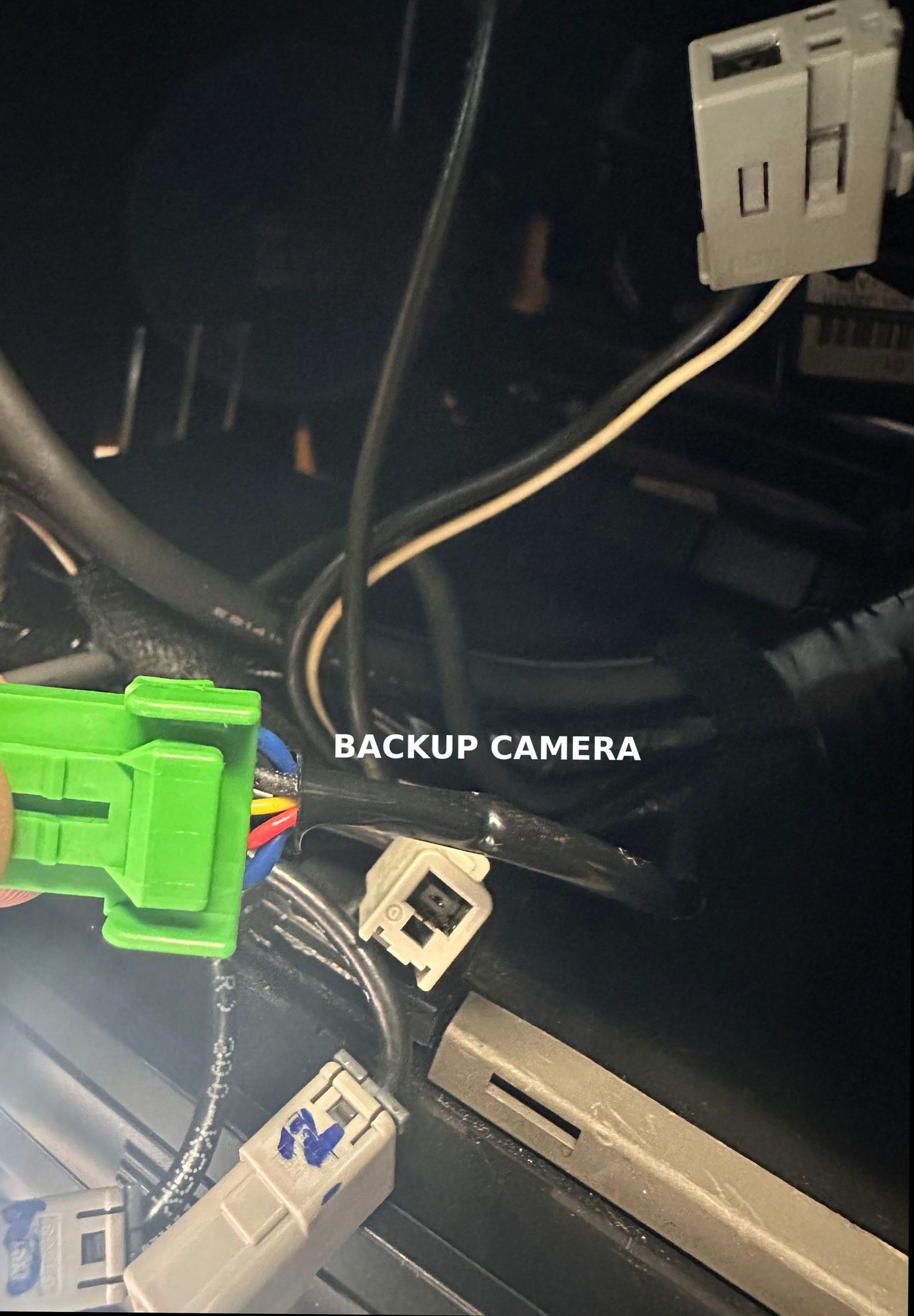
Does anyone have a link to what's the best way to route a rear camera on a 997.1 (given we also need to get the reverse signal from somewhere else than CANBUS?)
Does anyone have a link to what's the best way to route a rear camera on a 997.1 (given we also need to get the reverse signal from somewhere else than CANBUS?)
Search "porsche+997+backup+camera+install" on youtube, full of answers
for the reverse signal, you can plug in the rear backup light
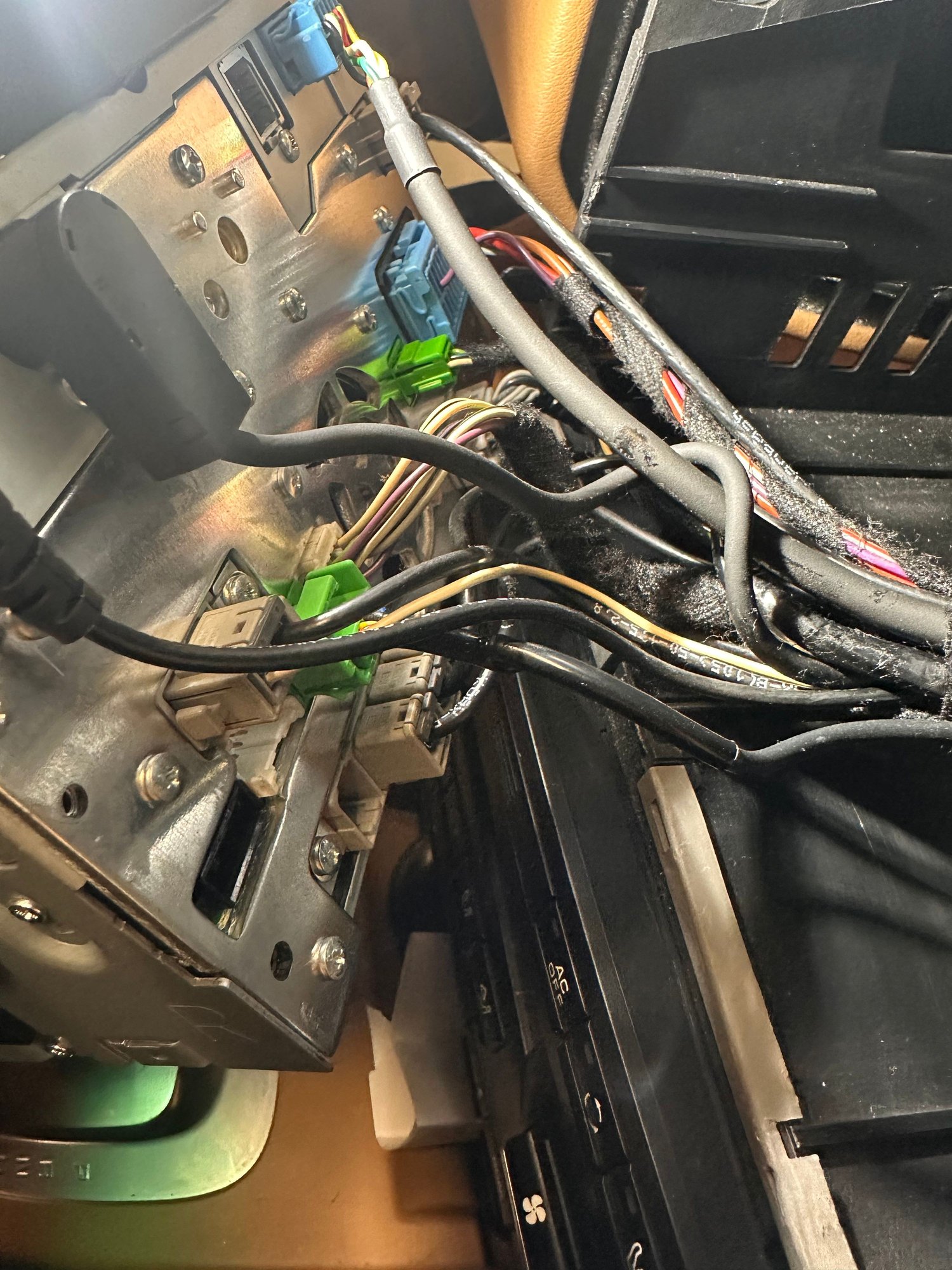
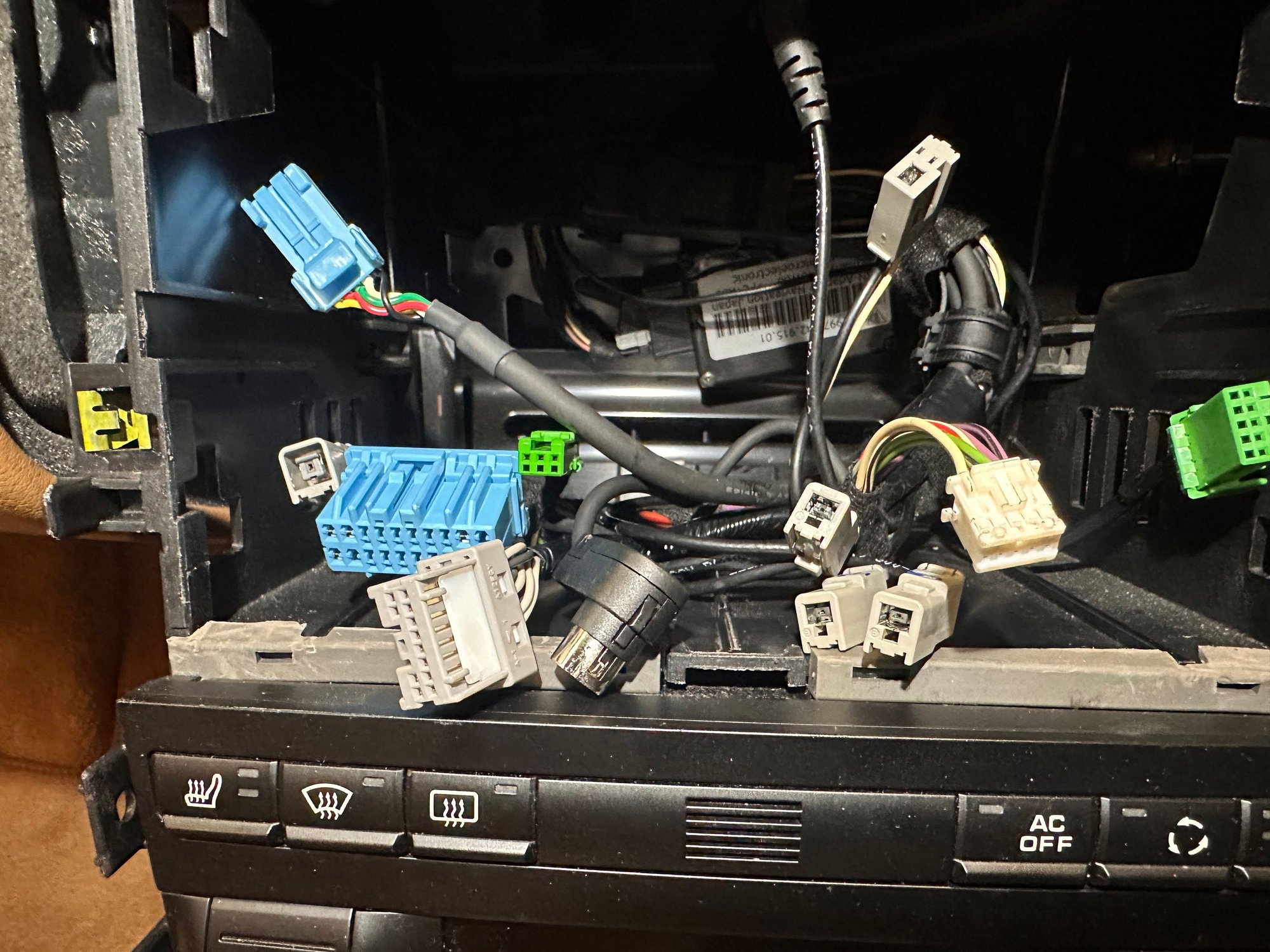
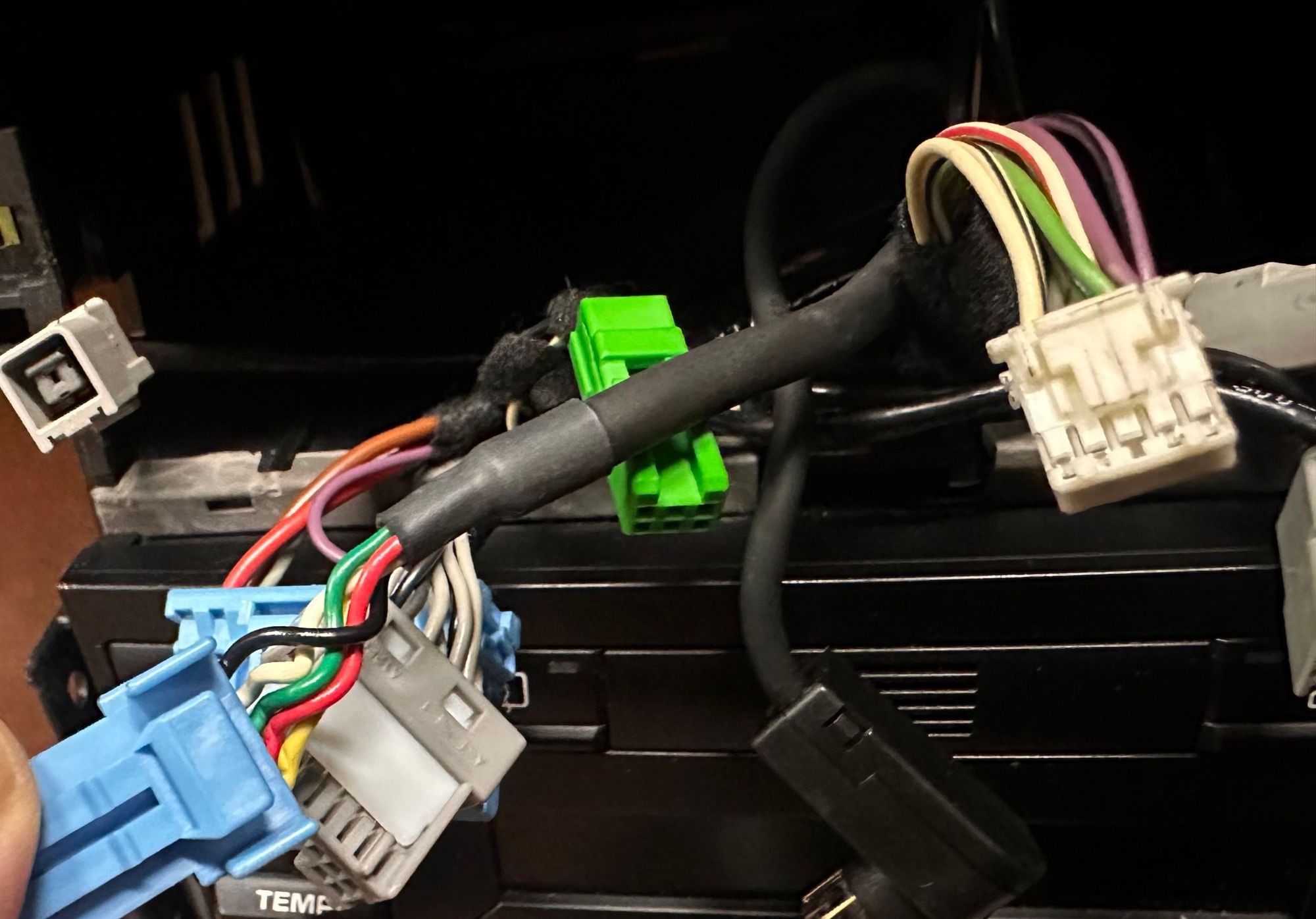
Hi everyone, I am planning to upgrade my Japanese Clarion headunit on 997.2 PDK (no BOSE), to one of the heregoes unit. Having removed the Clarion unit, I found that the existing wiring is quite different and I am not sure how much effort would be involved in getting it to match a heregoes unit. I would be really grateful if someone could point me in the right direction.
Full pics of the wiring have been uploaded to this album:
Finally have a chance to do the rear camera and rear speakers.
Car is PDK
For the camera wiring....red RCA to red RCA, yellow to yellow. Other yellow RCA goes to the HU. That all seems straight forward.
That leaves a red and black pair and a green. For those, I've seen a number of different ideas on how to connect them so I'm not sure which is right. The instructions that came with the HU/camera say to connect the red/black to the tail light, but something else mentioned a black/blue wire (near the passenger footwell?).
For the green, does that connect to A5 (back car) or A7 (key1)?
Last edited by finpat997; Jun 21, 2025 at 12:48 PM.
Hi all,
I finally got around to installing the 7862 unit I purchased in Nov last year in my 2006 C2S manual cab (with bose)
Install went well up until the final test where I get no sound. unit powers on but no sound at all regardless of source (I've tried radio and paired my phone)
I have triple checked the RCA connections, the wires from the MOST box were already connected to the main harness (so no additional splicing needed)
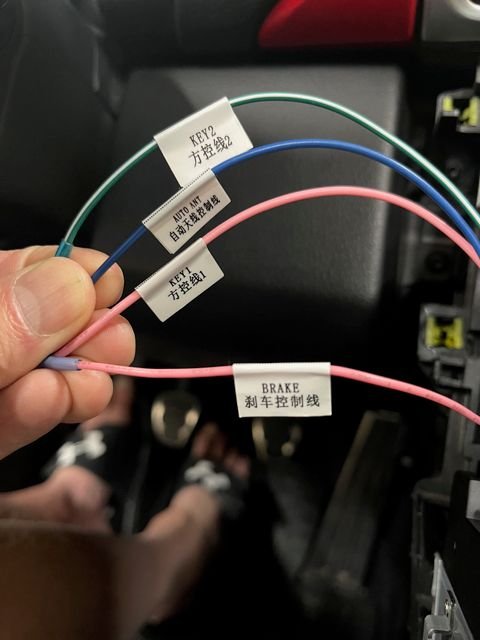
I see reference to and have read about the Amp Control wire (blue) that may need to be connected (post #1137 from @MattDevoCustoms ), but can't seem to find information on where it connects to (I have gone back many, many pages and tried searching). Is this the problem or is it something else?
Appreciate any assistance from those of you who have already figured this out!
Edit: Here are a couple picks for additional clarity showing the single wires available in the 2 bundles. The single blue with no tag is in the bundle with the RCAs and the one with the 4 (with tags) is in the bundle with the connection blocks
Last edited by wbauer2; Jun 22, 2025 at 10:55 PM.
Reason: added pics