


Pro Tips for the 992


Thread Starter
Track Day
Joined: Aug 2021
Posts: 20
Likes: 14
 Pro Tips for the 992
I've found a few I'd like to share, others please do the same:
- Set the 3rd memory seat setting to all the way up and forward, so you only have to click the button once, and then the first again to get back to normal - instead of bending down and holding it each time to put something/someone in the backseat
- Set the function button next to the exhaust valve to homelink, so if homelink doesn't recognize you're home, your hand is in the same place and you don't have to fumble through the menu
- Use tidal hifi (****ty UX) or Apple Music lossless - sounds like a major speaker upgrade but is really just better audio quality through CarPlay
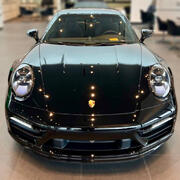
- Swiping your hand up and down twice from the Porsche crest to below the bumper line is the most reliable (not fail-proof) way of opening the frunk without pressing the button on the key
- Set the 3rd memory seat setting to all the way up and forward, so you only have to click the button once, and then the first again to get back to normal - instead of bending down and holding it each time to put something/someone in the backseat
- Set the function button next to the exhaust valve to homelink, so if homelink doesn't recognize you're home, your hand is in the same place and you don't have to fumble through the menu
- Use tidal hifi (****ty UX) or Apple Music lossless - sounds like a major speaker upgrade but is really just better audio quality through CarPlay
- Swiping your hand up and down twice from the Porsche crest to below the bumper line is the most reliable (not fail-proof) way of opening the frunk without pressing the button on the key




Popular Reply
Dec 21, 2021, 10:13 AM
Instructor
Joined: Sep 2020
Posts: 177
Likes: 223
To open frunk, begin by washing the car with fob in your pocket. Guaranteed to open during wash.
Rennlist Member

Joined: Oct 2004
Posts: 1,862
Likes: 1,239
From: Lakewood Ranch, FL
I've found a few I'd like to share, others please do the same:
- Set the 3rd memory seat setting to all the way up and forward, so you only have to click the button once, and then the first again to get back to normal - instead of bending down and holding it each time to put something/someone in the backseat
- Set the function button next to the exhaust valve to homelink, so if homelink doesn't recognize you're home, your hand is in the same place and you don't have to fumble through the menu
- Use tidal hifi (****ty UX) or Apple Music lossless - sounds like a major speaker upgrade but is really just better audio quality through CarPlay
- Swiping your hand up and down twice from the Porsche crest to below the bumper line is the most reliable (not fail-proof) way of opening the frunk without pressing the button on the key
- Set the 3rd memory seat setting to all the way up and forward, so you only have to click the button once, and then the first again to get back to normal - instead of bending down and holding it each time to put something/someone in the backseat
- Set the function button next to the exhaust valve to homelink, so if homelink doesn't recognize you're home, your hand is in the same place and you don't have to fumble through the menu
- Use tidal hifi (****ty UX) or Apple Music lossless - sounds like a major speaker upgrade but is really just better audio quality through CarPlay
- Swiping your hand up and down twice from the Porsche crest to below the bumper line is the most reliable (not fail-proof) way of opening the frunk without pressing the button on the key


Intermediate
Joined: Feb 2021
Posts: 43
Likes: 21
From: Abu Dhabi
I've found a few I'd like to share, others please do the same:
- Set the 3rd memory seat setting to all the way up and forward, so you only have to click the button once, and then the first again to get back to normal - instead of bending down and holding it each time to put something/someone in the backseat
- Set the 3rd memory seat setting to all the way up and forward, so you only have to click the button once, and then the first again to get back to normal - instead of bending down and holding it each time to put something/someone in the backseat

Rennlist Member

Joined: Aug 2020
Posts: 3,416
Likes: 3,510
From: Orange County California
Make your Cell Phone the Hot Spot for the Car instead of trying to use the AT&T system that the car comes with. The best thing I can say about the AT&T system is that while it's incredibly slow, it is rather expensive.
.
See the attached for how to place a Hot Spot icon on you iPhone. It'll connect the car to the web with just a touch of the icon on your iPhone.
.
.
See the attached for how to place a Hot Spot icon on you iPhone. It'll connect the car to the web with just a touch of the icon on your iPhone.
.


Rennlist Member
Joined: Sep 2017
Posts: 1,855
Likes: 1,252
From: Chicago

Below the crest, side to side…
https://rennlist.com/forums/992/1236233-precise-location-of-frunk-comfort-access-sensor-revealed.html
Last edited by doug_999; Dec 21, 2021 at 07:55 AM.




Trending Topics

RL Community Team
Rennlist Member
Rennlist Member

Joined: Sep 2008
Posts: 3,220
Likes: 1,710
Lossless is not available over BT or wireless CarPlay. If you beires a difference is placebo effect (not the band).
See the whole info below: https://support.apple.com/en-us/HT212183
See the whole info below: https://support.apple.com/en-us/HT212183
















Instructor
Joined: Aug 2021
Posts: 126
Likes: 74
From: Austin, TX
Apple Music is pre installed in PCM6. I wonder:
Does this mean that an iPhone need not be connected to the PCM wired/wirelessly to play Apple Music content?
Is the Apple Music lossless content available?
Does this mean that an iPhone need not be connected to the PCM wired/wirelessly to play Apple Music content?
Is the Apple Music lossless content available?
Rennlist Member
Joined: Apr 2020
Posts: 1,954
Likes: 2,019
From: Ohio
Here is a similar link from early days in the 992 forum...
https://rennlist.com/forums/992/1191...our-992-a.html
https://rennlist.com/forums/992/1191...our-992-a.html

Burning Brakes
Joined: Aug 2021
Posts: 929
Likes: 939
From: Georgia / Connecticut
Make your Cell Phone the Hot Spot for the Car instead of trying to use the AT&T system that the car comes with. The best thing I can say about the AT&T system is that while it's incredibly slow, it is rather expensive.
.
See the attached for how to place a Hot Spot icon on you iPhone. It'll connect the car to the web with just a touch of the icon on your iPhone.
.
.
See the attached for how to place a Hot Spot icon on you iPhone. It'll connect the car to the web with just a touch of the icon on your iPhone.
.
thanks !!!!!
Thread Starter
Track Day
Joined: Aug 2021
Posts: 20
Likes: 14
Lossless is not available over BT or wireless CarPlay. If you beires a difference is placebo effect (not the band).
See the whole info below: https://support.apple.com/en-us/HT212183
See the whole info below: https://support.apple.com/en-us/HT212183
You can actually, from that site:
"Can I listen to lossless audio using CarPlay?
You can listen to lossless audio with CarPlay using a USB connection. Streaming lossless audio in a car over a cellular network will consume significantly more data."It just uses more data. Even if it only pulls in CD quality through streaming, it makes a big non-placebo difference vs. Spotify.
RL Community Team
Rennlist Member
Rennlist Member
Joined: Sep 2008
Posts: 3,220
Likes: 1,710
Originally Posted by Flash992
Apple Music is pre installed in PCM6. I wonder:
Does this mean that an iPhone need not be connected to the PCM wired/wirelessly to play Apple Music content?
Is the Apple Music lossless content available?
Does this mean that an iPhone need not be connected to the PCM wired/wirelessly to play Apple Music content?
Is the Apple Music lossless content available?
RL Community Team
Rennlist Member
Rennlist Member
Joined: Sep 2008
Posts: 3,220
Likes: 1,710
Originally Posted by 992c2s
You can actually, from that site:
"Can I listen to lossless audio using CarPlay?
You can listen to lossless audio with CarPlay using a USB connection. Streaming lossless audio in a car over a cellular network will consume significantly more data."It just uses more data. Even if it only pulls in CD quality through streaming, it makes a big non-placebo difference vs. Spotify.
I like lossless but if you read the fine print, you'll notice it's quite limited in options. Between lossless quality and wireless practicality, I prefer the latter.