
Gary R.
Rennlist Member
close

Feb 4, 2026
- Join DateDec 2004
- LocationValencia, Spain
- Posts:15,640
-
Likes:263
-
Liked:349 Times in 199 Posts
Quote:
Get it from Matt! I actually use the stick on mount that came with it. Puts it tight against the windshield and behind the mirror hidden (at least on the Subaru it did)..Originally Posted by Matt Romanowski
I have the hardwire kits and the suction cups available now too.
Gary R.
Rennlist Member
close
Feb 4, 2026
- Join DateDec 2004
- LocationValencia, Spain
- Posts:15,640
-
Likes:263
-
Liked:349 Times in 199 Posts
Made a video of the Cayman's first outing at LRP with NY Metro last week showing the basic data overlay you get with the Roadhawk HD. I'm pleased with the quality and ease of use, though it does require synchronization using RaceRender 3.0 using the split screen (I just put the video on the 1st Start/Finish line and adjust the track position dot accordingly). Be sure to start the camera a few minutes before you move so the GPS picks up satellites (using the external antennae may be quicker, not an issue for me). The video is a few laps taking Paolo for a ride to show him how PDK works (he just bought a PDK 911 on Monday!)..
It's not meant to be fast, represent anything, or impressive.. just a sample of the Roadhawk HD in action for those considering one.
https://vimeo.com/133853466
It's not meant to be fast, represent anything, or impressive.. just a sample of the Roadhawk HD in action for those considering one.
https://vimeo.com/133853466
Race Car
Too bad no remote mic. What settings did you use? Video quality good. I still just using camera as dash cam in daily driver. Overlay cool-
Gary R.
Rennlist Member
close
Feb 4, 2026
- Join DateDec 2004
- LocationValencia, Spain
- Posts:15,640
-
Likes:263
-
Liked:349 Times in 199 Posts
Quote:
There is a plug for an external mic, I just didn't install one as I wasn't sure I needed it.. it seems I do in a car that quiet. That IS my DD, I have a 64GB SD in it so it just runs from Ign on to Ign off for my commutes and errands. Pretty much lasts a month in 1080/30 FPS..Originally Posted by Gofishracing
Too bad no remote mic. What settings did you use? Video quality good. I still just using camera as dash cam in daily driver. Overlay cool-
Gary what did you have the internal mic sensitivity set to? I recently ordered one of these from Matt and have been testing it on the street so far. I'll be getting it hardwired this week and testing it next week at NJMP.
Gary R.
Rennlist Member
close
Feb 4, 2026
- Join DateDec 2004
- LocationValencia, Spain
- Posts:15,640
-
Likes:263
-
Liked:349 Times in 199 Posts
Quote:
I believe about 75% but will check it next time I pull the SD card out..Originally Posted by HoBoJoe
Gary what did you have the internal mic sensitivity set to? I recently ordered one of these from Matt and have been testing it on the street so far. I'll be getting it hardwired this week and testing it next week at NJMP.

ProCoach
Rennlist
Basic Site Sponsor
Basic Site Sponsor
close

Today
- Join DateJun 2008
- LocationDurham, NC and Virginia International Raceway
- Posts:20,307
-
Likes:7,413
-
Liked:4,710 Times in 2,531 Posts
Quote:
Why did you need to use RR, again?Originally Posted by Gary R.
I'm pleased with the quality and ease of use, though it does require synchronization using RaceRender 3.0 using the split screen (I just put the video on the 1st Start/Finish line and adjust the track position dot accordingly).
Quote:
The default video with data is only available in the Roadhawk video player which is not exportable. RaceRender will extract the data from the video file so you can overlay track/speed/lap time and export the video.Originally Posted by ProCoach
Why did you need to use RR, again?
ProCoach
Rennlist
Basic Site Sponsor
Basic Site Sponsor
close
Today
- Join DateJun 2008
- LocationDurham, NC and Virginia International Raceway
- Posts:20,307
-
Likes:7,413
-
Liked:4,710 Times in 2,531 Posts
Quote:
Wonder if there is screen capture (to video) software that would speed up that process.Originally Posted by HoBoJoe
The default video with data is only available in the Roadhawk video player which is not exportable. RaceRender will extract the data from the video file so you can overlay track/speed/lap time and export the video.
If you need to do this to get the data on the video, is the benefit just that there is one unit (that gets the most basic measures, lat and long g, speed AND video) and the low cost?
Thread Starter
Rennlist Hoonigan
which cost no drachmas
Lifetime Rennlist
Member
Rennlist
Site Sponsor
which cost no drachmas
Lifetime Rennlist
Member
Rennlist
Site Sponsor
Matt Romanowski
Rennlist Hoonigan
which cost no drachmas
Lifetime Rennlist
Member
Rennlist
Site Sponsor
which cost no drachmas
Lifetime Rennlist
Member
Rennlist
Site Sponsor
close
Yesterday
- Join DateDec 2001
- LocationManchester, NH
- Posts:12,997
-
Likes:1,640
-
Liked:1,195 Times in 702 Posts
Quote:
If you need to do this to get the data on the video, is the benefit just that there is one unit (that gets the most basic measures, lat and long g, speed AND video) and the low cost?
The benefit of these cameras is that it imprints the GPS data with the HD video, all for < $250. Originally Posted by ProCoach
Wonder if there is screen capture (to video) software that would speed up that process.If you need to do this to get the data on the video, is the benefit just that there is one unit (that gets the most basic measures, lat and long g, speed AND video) and the low cost?
The software that comes with the camera automatically puts the lat and long G info on the video, but you have to watch it through that software. This is good for immediately watching the videos after you drive.
If you want to upload to Youtube, Vimeo, etc, then you need to use RR to put the lat and long G and speed on the video. It's very quick and easy to do as the information is already embedded in the video and RR sees the data.
What some of these guys are doing is leaving the camera on loop mode so they have it in a dual use car all the time. That way it records their daily driving all the time and then they can just grab their track files when they are at the track.
It's not a SCHD, but for the price they work very well and get the job done.
ProCoach
Rennlist
Basic Site Sponsor
Basic Site Sponsor
close
Today
- Join DateJun 2008
- LocationDurham, NC and Virginia International Raceway
- Posts:20,307
-
Likes:7,413
-
Liked:4,710 Times in 2,531 Posts
That's cool. And good for the price, for sure!
For me this is a step above a GoPro since it has the ability to give some data. I purchased RR immediately after I ordered the camera and started playing with the software. I took some GoPro footage from my last DE and started making split videos to compare laps/runs and right there the software was worth every penny.
My plan is to run the RoadHawk on the windshield and the gopro on my luggage bar to get a view of the interior. I'm assuming syncing all the video will be tedious but I finally have a real use for my overpowered liquid cooled PC.
My plan is to run the RoadHawk on the windshield and the gopro on my luggage bar to get a view of the interior. I'm assuming syncing all the video will be tedious but I finally have a real use for my overpowered liquid cooled PC.
Quote:
It's not meant to be fast, represent anything, or impressive.. just a sample of the Roadhawk HD in action for those considering one.
https://vimeo.com/133853466
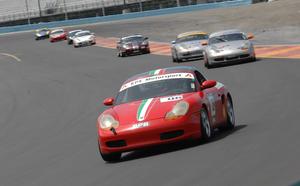
Next time ditch your passenger...... he is weighting you down.......Originally Posted by Gary R.
Made a video of the Cayman's first outing at LRP with NY Metro last week showing the basic data overlay you get with the Roadhawk HD. I'm pleased with the quality and ease of use, though it does require synchronization using RaceRender 3.0 using the split screen (I just put the video on the 1st Start/Finish line and adjust the track position dot accordingly). Be sure to start the camera a few minutes before you move so the GPS picks up satellites (using the external antennae may be quicker, not an issue for me). The video is a few laps taking Paolo for a ride to show him how PDK works (he just bought a PDK 911 on Monday!).. It's not meant to be fast, represent anything, or impressive.. just a sample of the Roadhawk HD in action for those considering one.
https://vimeo.com/133853466

I bought a camera from Matt after seeing the video quality, excellent price/value ratio in my opinion......