


iPhone / USB / aux input for PCM1

Thread Starter
Rennlist Member
Joined: May 2016
Posts: 477
Likes: 58
From: DC
 iPhone / USB / aux input for PCM1
This is, thankfully, not yet another "how do I add an iPhone / USB / aux input to my PCM1" thread. It's a "hey, I just added a USB input to my PCM1  " thread.
There are cables available from Becker Autosound to give you an aux in for the CDR220 OEM radios but not for the PCM1, which doesn't have an aux mode. PCM2 does, of course. But if you retain your CD changer there's a way around this, by burning a silent CD and splicing in the output from one of these, available from Amazon and various other places, into the back of your PCM1. (Incidentally the cables from Becker Autosound on eBay are based around these iSimple gizmos).
Wiring is as found here, thus:
Pin 8 (green plug): +ve to your iSimple unit
Pin 9 (green plug): -ve to your iSimple unit
Pin 18 (blue plug): audio signal ground
Pin 19 (blue plug): audio signal left (white)
Pin 20 (blue plug): audio signal right (red)
The splicing is a bit finicky but doable with a bit of patience. Play your blank CD, plug your 'phone in and Bob's your uncle. It charges, too. I routed the iSimple USB lead out the back of where the head unit goes, into the driver's footwell, and it sits coiled up in the owner's manual clip.
At some point I might install a permanent USB socket, and in theory you could also splice in a Bluetooth receiver. But this'll do me for now. Hope it might be useful for someone.
" thread.There are cables available from Becker Autosound to give you an aux in for the CDR220 OEM radios but not for the PCM1, which doesn't have an aux mode. PCM2 does, of course. But if you retain your CD changer there's a way around this, by burning a silent CD and splicing in the output from one of these, available from Amazon and various other places, into the back of your PCM1. (Incidentally the cables from Becker Autosound on eBay are based around these iSimple gizmos).
Wiring is as found here, thus:
Pin 8 (green plug): +ve to your iSimple unit
Pin 9 (green plug): -ve to your iSimple unit
Pin 18 (blue plug): audio signal ground
Pin 19 (blue plug): audio signal left (white)
Pin 20 (blue plug): audio signal right (red)
The splicing is a bit finicky but doable with a bit of patience. Play your blank CD, plug your 'phone in and Bob's your uncle. It charges, too. I routed the iSimple USB lead out the back of where the head unit goes, into the driver's footwell, and it sits coiled up in the owner's manual clip.
At some point I might install a permanent USB socket, and in theory you could also splice in a Bluetooth receiver. But this'll do me for now. Hope it might be useful for someone.
Thread Starter
Rennlist Member
Joined: May 2016
Posts: 477
Likes: 58
From: DC
Yep, that's the one, although mine is pre-facelift so no cup holders for me 
Two other points I forgot:
- the blue / green / yellow plug is three separate units. It makes the whole job much easier if you separate them, because you don't need to mess with the yellow plug at all so you can tuck it out the way until you're done.
- Also strip away some of the factory tape that wraps the wires, to give yourself more slack to work with. Once you're confident your install is working (test it before you put the radio back!) you can clip the three plugs back together again and wrap the whole shebang in insulating tape.
- Use something to protect your console, gearknob and seats; that radio has some sharp edges! I tucked a towel between the head unit and the navigation drive, and draped it over the gearstick.
- Many options for your silent CD; I made mine from here.
Two other points I forgot:
- the blue / green / yellow plug is three separate units. It makes the whole job much easier if you separate them, because you don't need to mess with the yellow plug at all so you can tuck it out the way until you're done.
- Also strip away some of the factory tape that wraps the wires, to give yourself more slack to work with. Once you're confident your install is working (test it before you put the radio back!) you can clip the three plugs back together again and wrap the whole shebang in insulating tape.
- Use something to protect your console, gearknob and seats; that radio has some sharp edges! I tucked a towel between the head unit and the navigation drive, and draped it over the gearstick.
- Many options for your silent CD; I made mine from here.
Rocky Mountain High
Rennlist Member
Rennlist Member

Joined: Aug 2007
Posts: 19,551
Likes: 2,865
From: Kolorado
Glad you got it to work. Mobile phone connectivity is so common now that it's easy to forget where technology was in the recent past. When PCM 1.0 was launched by Porsche, the top selling mobile phone in the world was the Nokia 6120, offering a radical new feature: a color screen! Text messaging really didn't exist. Nobody had ever heard of Bluetooth. The original iPhone was nearly ten years from launch. Kudos to you for finding a workable solution.

Nordschleife Master

Joined: Oct 2015
Posts: 5,723
Likes: 2,291
From: Zuffenhausen, Georgia
Jimmy, why not just copy all of your songs to cassette tape and then your problem is solved. hehehe... just like they did back in the 70s and 80s. ;-)
j/k neat work around.
j/k neat work around.
Rennlist Member
Joined: Apr 2006
Posts: 793
Likes: 30
From: Albany NY
Thread Starter
Rennlist Member
Joined: May 2016
Posts: 477
Likes: 58
From: DC

Trending Topics
Nordschleife Master
Joined: Oct 2015
Posts: 5,723
Likes: 2,291
From: Zuffenhausen, Georgia
Rennlist Stories
The Best Porsche Posts for Porsche Enthusiasts
Porsche's Top 5 Most Questionable Naming Decisions
Verdad Gallardo
Pogea Racing's 964 Porsche 911 Reimagination Stands Out in a Crowded Field
Verdad Gallardo
6 Convertible Top MYTHS Most People Don't Understand!
Michael S. Palmer
2026 Porsche 911 Club Coupe is Spectacular, And Everything Wrong with the Porsche Market
Joe Kucinski
Talos Takes Your 991 Porsche 911 GT3 to the Next Level for a Cool $1.13 Million
Verdad Gallardo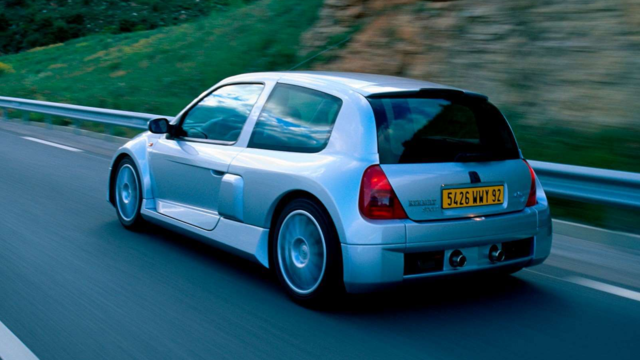
9 Vehicles Porsche Helped Engineer that Aren't Porsches
Verdad Gallardo
9 Features and Characteristics That Only Porsche People Understand
Verdad Gallardo
I've Written 500 Rennlist Articles: Here's How Porsche Has Changed Along the Way
Joe Kucinski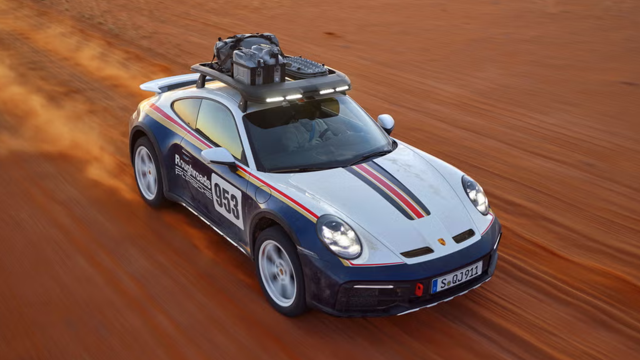
10 Most Unnecessary Porsches Ever Built (And Why We Love Them)
Verdad Gallardo
Track Day
Joined: May 2015
Posts: 22
Likes: 0
i just came accross this and i thought might share with people who also have a pcm1. This seems to be a very neat solution as we get to keep and upgrade the existing pcm1 with bluetooth function.
http://www.elektronik-idee.de/index....g=en&showall=1
http://www.elektronik-idee.de/index....g=en&showall=1

Rennlist Member

Joined: Nov 2016
Posts: 349
Likes: 39
From: Silicon Valley
For all PCM1 owners, I bought this : http://www.discountcarstereo.com/3.5-BKRCD.html
Works great as far as audio quality is concerned, but you do need a CD in the changer, and it will hiccup once the 'virtual' disk ends, and it needs to load another disk.
I guess, I will need to burn a blank 1 track CD and leave that in the changer.
Works great as far as audio quality is concerned, but you do need a CD in the changer, and it will hiccup once the 'virtual' disk ends, and it needs to load another disk.
I guess, I will need to burn a blank 1 track CD and leave that in the changer.