


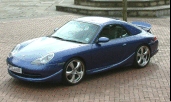
trya pic

Three Wheelin'
Joined: May 2003
Posts: 1,565
Likes: 1
From: Liverpool, England


Burning Brakes
Joined: Oct 2002
Posts: 1,036
Likes: 0
From: Dubai - UAE

David,
Are you sure you are uploading your image?
1- You must first upload an image from your pc. To do this, click on 'Upload Photo' after which you must enter some self info for the servers to recognize you as a rennlist member
2- Once you upload an image, the same image is displayed on the explorer window. Under it is a url, a web link that you should roll your mouse over to be able to copy (right click-copy)
3- Having done that, go to the chosen post you want to add your image into, click on ''reply post''
4- You then have a reply window above which are a series of clicks and icons
5- Click on the 'IMG' grey square and a small window will open
6- You now have to paste the URL you previously copied inside this window (make sure you erase the 'http://' words before doing this. Click OK and the URL to post the picture will be shown on the reply window itself
You now can post a picture..
Phew!
Waz
Are you sure you are uploading your image?
1- You must first upload an image from your pc. To do this, click on 'Upload Photo' after which you must enter some self info for the servers to recognize you as a rennlist member
2- Once you upload an image, the same image is displayed on the explorer window. Under it is a url, a web link that you should roll your mouse over to be able to copy (right click-copy)
3- Having done that, go to the chosen post you want to add your image into, click on ''reply post''
4- You then have a reply window above which are a series of clicks and icons
5- Click on the 'IMG' grey square and a small window will open
6- You now have to paste the URL you previously copied inside this window (make sure you erase the 'http://' words before doing this. Click OK and the URL to post the picture will be shown on the reply window itself
You now can post a picture..
Phew!
Waz
Trending Topics

Thread Starter
Racer
Joined: Nov 2003
Posts: 369
Likes: 0
From: Las Vegas
pics
Phew is right Waz. Thank you. I apparently was not a member, just registered. I just joined and should have a # by e-mail tomorrow. Then I should be able tio upload. Thanks again, everyone