


82 days and counting




Newbies Hospitality Director
Lifetime Rennlist
Member
Lifetime Rennlist
Member
Joined: Apr 2005
Posts: 18,084
Likes: 43
From: Winston-Salem, NC

Gary, very nice!
... and for future reference!
Here are my "can't miss" instructions for posting a pic. These instructions have NEVER failed to help someone post pics, so the pressure is on YOU to keep my string alive!
All words shown in BOLD indicate buttons. If you are just doing a "Quick Reply" you will have to click on Go Advanced button. Then follow the steps below:
Down below the text box and below the Submit Reply and the Preview Post buttons, there is a Miscellaneous Options section followed by an Attach Files section.
In the Attach Files section, click on the Manage Attachments button.
You will now get a pop-up window. There are 3 buttons Browse, Upload, and at the bottom of the window, Close this Window.
If the pics are on your computer, click on one of the Browse buttons and now (in a new pop-up window) you can search on your PC to locate the pic you want to attach. Click on the name of the file you want and then click the Open button. If you want to upload some additional pics, repeat the above process. Now click on the Upload button. After the files have been uploaded, click on the Close this Window button.
If the pics are in a url, in the boxes supplied, type in the addresses where the pics are located. Then click on the Upload button. After the files have been uploaded, click on the Close this Windowbutton.
After you click on the Close this Window, you will be back to the original "message" screen. Your pic file should be listed just above the Manage Attachments button.
If you are finished typing the text, you can click on the Submit Reply button and everyone will be able to see your great looking P-car!
If your pics are too large, you can resize them with MS Paint, or PhotoShop software, or you can do it online at this web site. http://www.resize2mail.com/
... and for future reference!
Here are my "can't miss" instructions for posting a pic. These instructions have NEVER failed to help someone post pics, so the pressure is on YOU to keep my string alive!
All words shown in BOLD indicate buttons. If you are just doing a "Quick Reply" you will have to click on Go Advanced button. Then follow the steps below:
Down below the text box and below the Submit Reply and the Preview Post buttons, there is a Miscellaneous Options section followed by an Attach Files section.
In the Attach Files section, click on the Manage Attachments button.
You will now get a pop-up window. There are 3 buttons Browse, Upload, and at the bottom of the window, Close this Window.
If the pics are on your computer, click on one of the Browse buttons and now (in a new pop-up window) you can search on your PC to locate the pic you want to attach. Click on the name of the file you want and then click the Open button. If you want to upload some additional pics, repeat the above process. Now click on the Upload button. After the files have been uploaded, click on the Close this Window button.
If the pics are in a url, in the boxes supplied, type in the addresses where the pics are located. Then click on the Upload button. After the files have been uploaded, click on the Close this Windowbutton.
After you click on the Close this Window, you will be back to the original "message" screen. Your pic file should be listed just above the Manage Attachments button.
If you are finished typing the text, you can click on the Submit Reply button and everyone will be able to see your great looking P-car!
If your pics are too large, you can resize them with MS Paint, or PhotoShop software, or you can do it online at this web site. http://www.resize2mail.com/

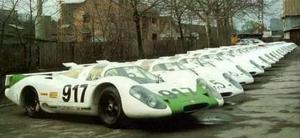


 Great car, enjoy!!!

