



Laugh or cry: puke green & other oddities PHOTO THREAD
Thread Starter
Addict
Lifetime Rennlist
Member
Lifetime Rennlist
Member

Joined: Nov 2004
Posts: 9,588
Likes: 19
From: USA

Ding Ding [lights flash, bells go off] WINNER!
Tim--OT: Got your request. Back to you soon.
Mike-- Thanks for the PM; response soon.
Cactus-- You rate a rare loaner! From Wikipedia's Harlequin Edition:

Tim--OT: Got your request. Back to you soon.
Mike-- Thanks for the PM; response soon.
Cactus-- You rate a rare loaner! From Wikipedia's Harlequin Edition:
Volkswagen originally created the Design series to tour at International Auto shows. Due to the huge public response of the original four Design series, 60 more were produced. Eventually, 275 were produced. Harlequins were produced by building four Golfs of different colors and swapping their body panels. The original color can be found by looking at the roof and rear quarter panels. Some of the last Harlequins did not sell well and were painted a solid color. This is one popular way for Harlequin enthusiasts to get a hold of one.
Thread Starter
Addict
Lifetime Rennlist
Member
Lifetime Rennlist
Member
Joined: Nov 2004
Posts: 9,588
Likes: 19
From: USA
Found these on a Mitsubishi car forum:
The following photo-edits remind me of the Golf Harlequin, but VW does it all on one vehicle.
P.S. Weirds me out how effective digital editing appears from these. I had no idea it was so convincing/ realistic. Call me naïve 'til I saw these images together...
Please don't tell me magazines use these techniques to take 15 pounds off of my favorite performance cars! Oh, the scandal that would ensue...


Source: evolutionM.net's "Photo shop color help" thread
The following photo-edits remind me of the Golf Harlequin, but VW does it all on one vehicle.
P.S. Weirds me out how effective digital editing appears from these. I had no idea it was so convincing/ realistic. Call me naïve 'til I saw these images together...
Please don't tell me magazines use these techniques to take 15 pounds off of my favorite performance cars! Oh, the scandal that would ensue...
Okay I am looking at a few Colors and I don't have a program or skills and know how to change the color of my car to see if I like it.
I need someones help in photo shop these colors onto my car
I need someones help in photo shop these colors onto my car
Source: evolutionM.net's "Photo shop color help" thread
Thread Starter
Addict
Lifetime Rennlist
Member
Lifetime Rennlist
Member
Joined: Nov 2004
Posts: 9,588
Likes: 19
From: USA
^^ see above comments


Source: mkivSupra.net's "My Supra Colour Chart" thread
Right, as some might know my car's havin a respray and ive been thinking about a different colour to Black, fancy something a bit more Exotic/Show like...
so, been playing with PhotoShop
so, been playing with PhotoShop
Source: mkivSupra.net's "My Supra Colour Chart" thread
Thread Starter
Addict
Lifetime Rennlist
Member
Lifetime Rennlist
Member
Joined: Nov 2004
Posts: 9,588
Likes: 19
From: USA
 those are AMAZING
MCat-- Nice timing: I've been admiring your new sig block image in your recent posts. Plus, another crew took shots of Speedy recently; I try to take notes, but none of what I'm witnessing is post-production editing, like the above.
I'm curious to learn if this requires Photo-shop, etc. Color me interested: please share!


I'm curious to learn if this requires Photo-shop, etc. Color me interested: please share!
Drifting
Joined: Mar 2009
Posts: 2,389
Likes: 6
From: Seattle
OK - This assumes an environment including a Nikon camera for the photos, and a PC for editing... I use a Nikon D40, Nikon's ViewNX software for manipulating image exposure and PhotomatixPro to build the tone-mapped image. ViewNX comes standard with Nikon DSLR's, Photomatix is available here:
http://www.hdrsoft.com/
To build a tone-mapped HDR file you need to start with three versions of the same original file, each with a different exposure (2-stop increments.)
From Photomatix's tutorial:
"If your camera offers Auto-Exposure Bracketing (AEB), select the Continuous Shooting mode, make sure the camera is set to Aperture Priority, and select an exposure increment of +/-2. The camera will automatically vary the shutter speed each time the shutter button is pressed, taking several exposures spaced by two-stop increments."
Alternatively (and this is what I do,) you can start with a RAW image file and create two additional copies with modified exposures, then import these into Photomatix. For Nikon these are 'NEF' type files and ViewNX can open and manipulate these to create the modified copies. I'm not sure what the equivalent Canon RAW files are called, nor which programs can modify exposure for those files, maybe someone can add that here (or I can figure it out if need be.) Same goes for the Mac users if need be.
So, open the NEF file in ViewNX. Under the File Menu choose "Convert Files" and save a modified version to a working folder. Choose JPEG for the new file type and change the dimensions if you like with the "Long Edge" being 800-1024 pixels if you're going to publish on the web in a forum like this. For email or to make a poster or something you may want to leave the dimensions unchanged. Anyway, the first saved copy will be your base file. Now do the same thing twice more, but modify the Exposure each time by selecting the "Quick Adjustment" tab and using the Exposure Comp. slider.... -2.0 for file #2, and +2.0 for file #3. Save these in the same working folder as the first file.
Here's an example of ViewNX with a NEF open and Exposure adjusted to -2.0.

_____________________
Here's three example files after the procedure above:

_____________________
Open Photomatix, drag n' drop the three files onto the interface. Confirm to "Generate an HDR image." Select all three files and click "OK." Specify the E.V. spacing as "2." The next page will select HDR Options, I leave these as-is except I select "Align source images" and "By correcting horiz. and vert. shifts." I leave everything else un-checked (default) except for "Take tone curve of color profile." Hit "OK" and click "Tone Mapping."
The image will open in the interface, select "1" for Ratio to Original. You get a default tone-mapped file. Example:

_____________________
From here it's just a matter of tweaking the settings on the "Details Enhancer" tab to create the desired effect. Here's 2 minutes of tweaks:

_____________________
Once the effect is as desired click "Process..." and "File" | "Save As..." to save the new file.
Original:

_____________________
Tone-mapped HDR:

http://www.hdrsoft.com/
To build a tone-mapped HDR file you need to start with three versions of the same original file, each with a different exposure (2-stop increments.)
From Photomatix's tutorial:
"If your camera offers Auto-Exposure Bracketing (AEB), select the Continuous Shooting mode, make sure the camera is set to Aperture Priority, and select an exposure increment of +/-2. The camera will automatically vary the shutter speed each time the shutter button is pressed, taking several exposures spaced by two-stop increments."
Alternatively (and this is what I do,) you can start with a RAW image file and create two additional copies with modified exposures, then import these into Photomatix. For Nikon these are 'NEF' type files and ViewNX can open and manipulate these to create the modified copies. I'm not sure what the equivalent Canon RAW files are called, nor which programs can modify exposure for those files, maybe someone can add that here (or I can figure it out if need be.) Same goes for the Mac users if need be.
So, open the NEF file in ViewNX. Under the File Menu choose "Convert Files" and save a modified version to a working folder. Choose JPEG for the new file type and change the dimensions if you like with the "Long Edge" being 800-1024 pixels if you're going to publish on the web in a forum like this. For email or to make a poster or something you may want to leave the dimensions unchanged. Anyway, the first saved copy will be your base file. Now do the same thing twice more, but modify the Exposure each time by selecting the "Quick Adjustment" tab and using the Exposure Comp. slider.... -2.0 for file #2, and +2.0 for file #3. Save these in the same working folder as the first file.
Here's an example of ViewNX with a NEF open and Exposure adjusted to -2.0.
_____________________
Here's three example files after the procedure above:
_____________________
Open Photomatix, drag n' drop the three files onto the interface. Confirm to "Generate an HDR image." Select all three files and click "OK." Specify the E.V. spacing as "2." The next page will select HDR Options, I leave these as-is except I select "Align source images" and "By correcting horiz. and vert. shifts." I leave everything else un-checked (default) except for "Take tone curve of color profile." Hit "OK" and click "Tone Mapping."
The image will open in the interface, select "1" for Ratio to Original. You get a default tone-mapped file. Example:
_____________________
From here it's just a matter of tweaking the settings on the "Details Enhancer" tab to create the desired effect. Here's 2 minutes of tweaks:
_____________________
Once the effect is as desired click "Process..." and "File" | "Save As..." to save the new file.
Original:
_____________________
Tone-mapped HDR:
Last edited by mongrelcat; Mar 10, 2011 at 12:26 AM.
Drifting
Joined: Mar 2009
Posts: 2,389
Likes: 6
From: Seattle
One more version. This time I used 5 versions of the original, in 1-stop increments. I exaggerated the effect further as well.

Dealing with RAW on Canon:
http://www.mkwphotography.com/workflow.htm
http://www.usa.canon.com/content/dpp2/index.html
Standard Photoshop HDR tutorials:
http://www.photoshopcafe.com/tutoria..._ps/hdr-ps.htm
HDR in Photoshop from a single JPG file:
http://www.nill.cz/index.php?set=tu1
More Tone-mapped HDR examples:
http://www.flickr.com/search/?q=hdr
http://www.smugmug.com/search/index....x=0&y=0#photos
Dealing with RAW on Canon:
http://www.mkwphotography.com/workflow.htm
http://www.usa.canon.com/content/dpp2/index.html
Standard Photoshop HDR tutorials:
http://www.photoshopcafe.com/tutoria..._ps/hdr-ps.htm
HDR in Photoshop from a single JPG file:
http://www.nill.cz/index.php?set=tu1
More Tone-mapped HDR examples:
http://www.flickr.com/search/?q=hdr
http://www.smugmug.com/search/index....x=0&y=0#photos
Last edited by mongrelcat; Mar 10, 2011 at 12:17 AM.
Rennlist Stories
The Best Porsche Posts for Porsche Enthusiasts

Porsche Reveals Coupe Variant of the Electric Cayenne With a Fresh Look
Verdad Gallardo
10 Porsche Colors That Have More Personality Than Most People
Verdad Gallardo
Guntherwerks' Final Speedster Creation Is the Ultimate Porsche Restomod
Verdad Gallardo
10 Reasons I Hate Going to the Porsche Dealership (& the 1 Reason I Stay)
Joe Kucinski
Porsche Shakes Up The Nürburgring Lap Record Table Once Again
Verdad Gallardo
6 Ways the Porsche 911 GT3 S/C Redefines Performance
Joe Kucinski
10 Wildest Homologation Specials Porsche Ever Sold
Verdad Gallardo
Super Rare RUF BTR III Comes Out of Hibernation, Looking For a New Home
Verdad Gallardo
10 Porsche Opinions That Can Start a Fight
Joe Kucinski

Rennlist Member

Joined: Nov 2008
Posts: 598
Likes: 1
From: North Texas
OK - This assumes an environment including a Nikon camera for the photos, and a PC for editing... I use a Nikon D40, Nikon's ViewNX software for manipulating image exposure and PhotomatixPro to build the tone-mapped image. ViewNX comes standard with Nikon DSLR's, Photomatix is available here:
http://www.hdrsoft.com/
http://www.hdrsoft.com/
Thread Starter
Addict
Lifetime Rennlist
Member
Lifetime Rennlist
Member
Joined: Nov 2004
Posts: 9,588
Likes: 19
From: USA

MCat-- Nice timing: I've been admiring your new sig block image in your recent posts.
Plus, another crew took shots of Speedy recently; I try to take notes, but none of what I'm witnessing is post-production editing, like the above.
I'm curious to learn if this requires Photo-shop, etc. Color me interested: please share!
Plus, another crew took shots of Speedy recently; I try to take notes, but none of what I'm witnessing is post-production editing, like the above.
I'm curious to learn if this requires Photo-shop, etc. Color me interested: please share!
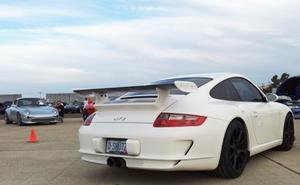
Looks similar to the tone mapping you detailed...

Image © 2009 by Lee Glide: leeGlide.com & Daniel J. Whelchel: imagesByDJW.com
 Hope the info is useful to someone, and hope to see some massaged images soon. If anyone has a RAW file they want worked I'd be happy to give it a go, PM me.
Thread Starter
Addict
Lifetime Rennlist
Member
Lifetime Rennlist
Member
Joined: Nov 2004
Posts: 9,588
Likes: 19
From: USA
Anyone have these? (no affiliation)
In the theme of Jason's bonzer tutorial:
"How to Digitally Photograph Cars" by Jason Siu & Josh Mackey ($17 on ); 2009
I don't have good gear, nor will I 'til graduation in ~1.5 years; in the meantime, I'm sure I'll learn, + get to look at car pix. Good combo!
(The lady who had the eye to obtain our 993 just surprised me with this in today's mail!
Funny: I have class final due this weekend, so she just hid it 'til Sun night. Guess I look like I'm studying while typing on Rennlist )

P.S. I can vouch even less for the following 2003 book, but it may be of interest...
"How to Photograph Cars" by James Mann ($15 on )

"How to Digitally Photograph Cars" by Jason Siu & Josh Mackey ($17 on ); 2009
 amazon.com" />
I don't have good gear, nor will I 'til graduation in ~1.5 years; in the meantime, I'm sure I'll learn, + get to look at car pix. Good combo!
(The lady who had the eye to obtain our 993 just surprised me with this in today's mail!
Funny: I have class final due this weekend, so she just hid it 'til Sun night. Guess I look like I'm studying while typing on Rennlist
)P.S. I can vouch even less for the following 2003 book, but it may be of interest...
"How to Photograph Cars" by James Mann ($15 on )
