


age old question. how to post pic in thread?

Admin
Rennlist Member
Rennlist Member
Joined: Jun 2001
Posts: 1,134
Likes: 0
From: NH

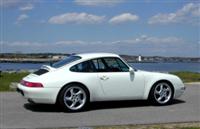
To post an image in your post just place {IMG} and {/IMG} replacing "{" and "}" with "[" and "]" around the url link to the image you want to display. So for instance I put the {IMG} and {/IMG} around
http://boards.rennlist.com/upload/911Lb2.jpg
I get this....

You might want to practice on the feedback forum.....
HTH,
Jenn
http://boards.rennlist.com/upload/911Lb2.jpg
I get this....
You might want to practice on the feedback forum.....
HTH,
Jenn

Advanced
Joined: Jan 2003
Posts: 94
Likes: 0
Jenn, thanks for the explanation but I don't get it and I doubt I'm alone. Look what you wrote, it makes no sense to someone who doesn't already know what all these "IMG" "/IMG" "{" "["symols are and how you would have some of the symbols somewhere to start with in order to replace them with some other symbol. I don't even know where to begin in asking a question about it.
"...To post an image in your post just place {IMG} and {/IMG} replacing "{" and "}" with "[" and "]" around the url link to the image you want to display. So for instance I put the {IMG} and {/IMG} around..."
"...To post an image in your post just place {IMG} and {/IMG} replacing "{" and "}" with "[" and "]" around the url link to the image you want to display. So for instance I put the {IMG} and {/IMG} around..."
Burning Brakes
Joined: Jul 2001
Posts: 1,111
Likes: 0
From: Spain
Just put the image code [IMG] before the url of the pic and [/IMG] afterwards:
If the address url of the uploaded pic is:
http://boards.rennlist.com/upload/911Lb2.jpg
Then, type [IMG] before it and [/IMG] after it like this:
[IMG]http://boards.rennlist.com/upload/911Lb2.jpg[/IMG]
You then get the pic showing in place of the [IMG]http://boards.rennlist.com/upload/911Lb2.jpg[/IMG] like this:
If the address url of the uploaded pic is:
http://boards.rennlist.com/upload/911Lb2.jpg
Then, type [IMG] before it and [/IMG] after it like this:
[IMG]http://boards.rennlist.com/upload/911Lb2.jpg[/IMG]
You then get the pic showing in place of the [IMG]http://boards.rennlist.com/upload/911Lb2.jpg[/IMG] like this:

Range Master
Pepsie Lite
Lifetime Rennlist
Member
Pepsie Lite
Lifetime Rennlist
Member
Joined: Apr 2002
Posts: 54,283
Likes: 1,236
Yup works just fine. I went back and edited a post with a url in it. changing the "url" to "img" in the beginning and end of the stream. Poooooof its a picture......
See Turbo Cabriolet thread.....
See Turbo Cabriolet thread.....
Advanced
Joined: Jan 2003
Posts: 94
Likes: 0
Thanks Carlos, thats the first picture posting explanation I've seen for the layman.
[IMG] http://www.sunsetbay.com/MxSail.htm [/IMG]
[IMG] http://www.sunsetbay.com/MxSail.htm [/IMG]
Trending Topics
Rennlist Stories
The Best Porsche Posts for Porsche Enthusiasts
9 Features and Characteristics That Only Porsche People Understand
Verdad Gallardo
I've Written 500 Rennlist Articles: Here's How Porsche Has Changed Along the Way
Joe Kucinski
10 Most Unnecessary Porsches Ever Built (And Why We Love Them)
Verdad Gallardo
Porsche 911 GT3 S/C vs 718 Spyder RS: 10 Categories, One Winner
Joe Kucinski
This Builder Is Turning Heads With Its Slantnose 911 Creation
Verdad Gallardo
Porsche 911 GT3 Artisan Edition Pays Homage to Japanese Culture
Verdad Gallardo
Porsche Reveals Coupe Variant of the Electric Cayenne With a Fresh Look
Verdad Gallardo
10 Porsche Colors That Have More Personality Than Most People
Verdad Gallardo
Guntherwerks' Final Speedster Creation Is the Ultimate Porsche Restomod
Verdad Gallardo
Advanced
Joined: Jan 2003
Posts: 94
Likes: 0
Hmm.. I thought it had to be a link to an image that was already on the poster's web page. If its just an image, how would the Rennlist board find it to display it? I guess that shows how little I know about how it all works.
Banned
Joined: May 1998
Posts: 10,005
Likes: 60
From: Somewhere....
OK - let's try this....
Yes - the "picture" has to either be on the Internet - or you can "attach" it when you post a reply. If it's on the Internet already - like that windsurfer above, then use the [ IMG] tags.... If it's on your hard drive - then you can "attach" it to a post, and my server will keep it as part of the messege.
As for a web page vs. a Picture. Look at a photo on your desk or hanging on the wall. That "picture" is comprised of two seperate "items" - the actual "picture" and the "frame". Following that anology - a "web page" is like a "frame" for a picture - it "holds" it on the web/Internet.. Finally - the Forums can show the "picture" (as a .jpg, jpeg, png, etc...) - but not the whole "frame", as in the whole web page..??
Make sense? If not - please don't flame me back - we are simply trying to explain it.
Thanks
Yes - the "picture" has to either be on the Internet - or you can "attach" it when you post a reply. If it's on the Internet already - like that windsurfer above, then use the [ IMG] tags.... If it's on your hard drive - then you can "attach" it to a post, and my server will keep it as part of the messege.
As for a web page vs. a Picture. Look at a photo on your desk or hanging on the wall. That "picture" is comprised of two seperate "items" - the actual "picture" and the "frame". Following that anology - a "web page" is like a "frame" for a picture - it "holds" it on the web/Internet.. Finally - the Forums can show the "picture" (as a .jpg, jpeg, png, etc...) - but not the whole "frame", as in the whole web page..??
Make sense? If not - please don't flame me back - we are simply trying to explain it.
Thanks
Burning Brakes
Joined: Jul 2001
Posts: 1,111
Likes: 0
From: Spain
Hi Jeff,
the url address you used (http://www.sunsetbay.com/MxSail.htm) ended in .htm, thats a web page. The web page had the image embedded to it but you need the image address itself. The url addresses to images end most commonly in .jpg, .jpeg, .gif, or .bmp
If you want to find out the url address to a picture thats on a web page, just open the page:
- place the mouse over the image,
- then click the right mouse button,
- on the window that opens, scroll down to properties,
- on the properties window you should see the url address of the picture which in the link you posted is http://www.sunsetbay.com/images/Mxsail.jpg
Copy that url and use it in your post with the [IMG]'s or simply highlight it with your mouse and copy it and paste it in your post in between [IMG]'s
Give it a try again don't give up, you will have to learn sooner or later
Hope this helps
Edit: looks like John beat me to it while I was typing the message
the url address you used (http://www.sunsetbay.com/MxSail.htm) ended in .htm, thats a web page. The web page had the image embedded to it but you need the image address itself. The url addresses to images end most commonly in .jpg, .jpeg, .gif, or .bmp
If you want to find out the url address to a picture thats on a web page, just open the page:
- place the mouse over the image,
- then click the right mouse button,
- on the window that opens, scroll down to properties,
- on the properties window you should see the url address of the picture which in the link you posted is http://www.sunsetbay.com/images/Mxsail.jpg
Copy that url and use it in your post with the [IMG]'s or simply highlight it with your mouse and copy it and paste it in your post in between [IMG]'s
Give it a try again don't give up, you will have to learn sooner or later
Hope this helps
Edit: looks like John beat me to it while I was typing the message


Addict
Rennlist Member
Rennlist Member

Joined: Jun 2001
Posts: 5,187
Likes: 106
From: Portsmouth, Ohio
Jeff, you are not alone. Congrats. And thanks to the folks above for explaining it in layman's terms. I am always told its an "RTFM" problem when I can't figure something out. Thanks guys!!

Intermediate
Joined: Nov 2002
Posts: 43
Likes: 0
From: Northern California
I've been trying to send myself a picture and can't get it to work (thru private e-mail). Do most of you uploan your photos to Rennlist? or link from other web sites?
Here is the photo I was trying to loan
hxxp://us.f1.yahoofs.com/users/524c9379/bc/996/__tn_July+4+Parade.jpg?bchYsJ_AH71.HUBH
replace the xx for tt.
Here is the photo I was trying to loan
hxxp://us.f1.yahoofs.com/users/524c9379/bc/996/__tn_July+4+Parade.jpg?bchYsJ_AH71.HUBH
replace the xx for tt.